
OxygenEvent · Webinars
The live webinar
where the audience takes part
Register your attendees, collect their questions, run polls over the video, then measure your audience: everything happens on a single live page branded to your event, with nothing to install.
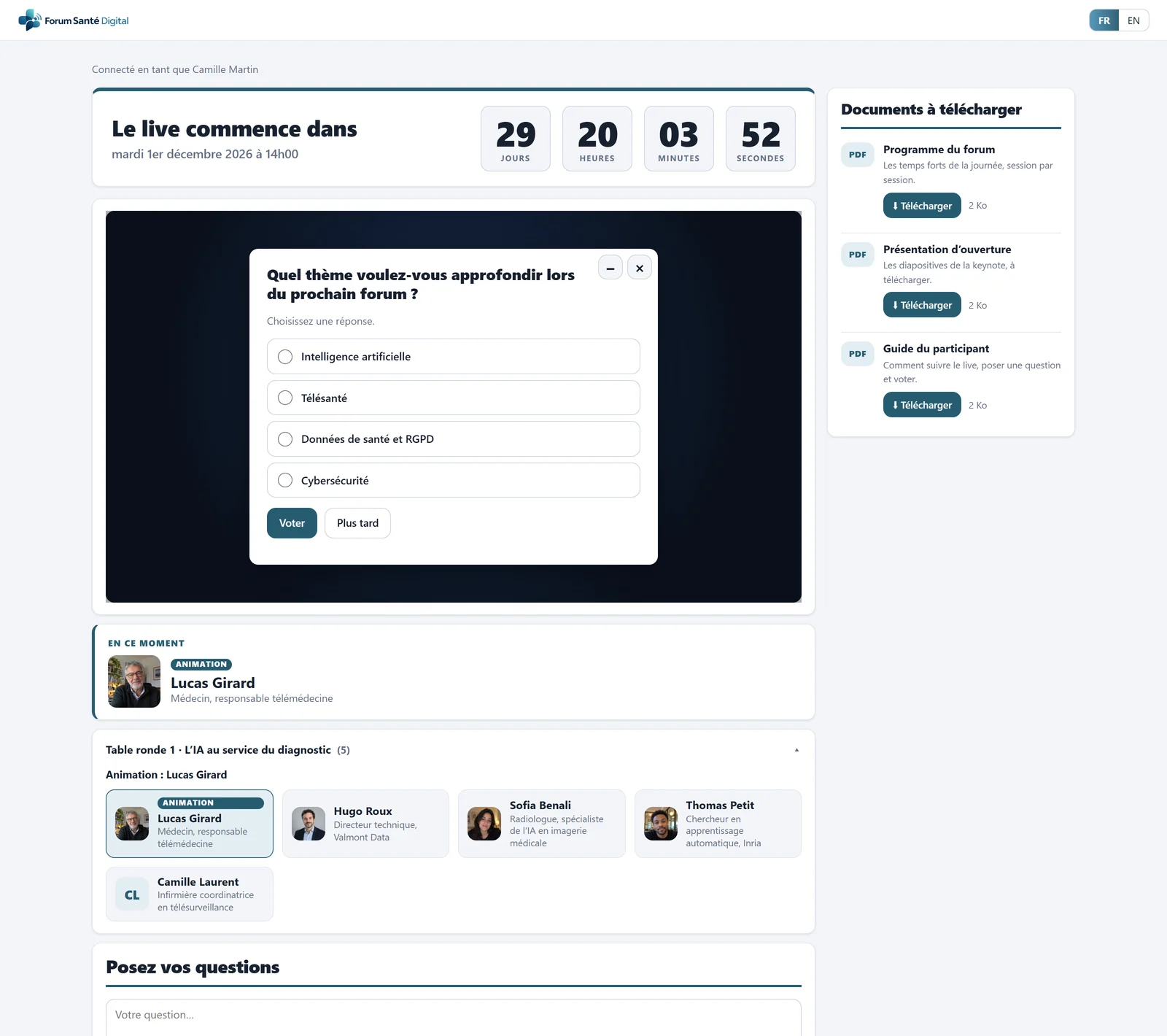
- Countdown before the live
- Your video player, embedded
- Poll question over the video
- Downloadable documents, tracked
- The speaker on stage, with a photo
- Speakers of the current chapter
Before the webinar
Register and invite your attendees
You choose how your audience gets into the webinar. One mode at a time, switched on in a click.
- Registration: confirmation e-mail with the webinar date and the access link.
- Invitations: paste your list of e-mail addresses and each guest receives a unique link.
- Direct access: no form, attendees go straight to the live page, with a nickname if they wish.
- A page in your colours: name, logo, date, colours and a countdown before the start.
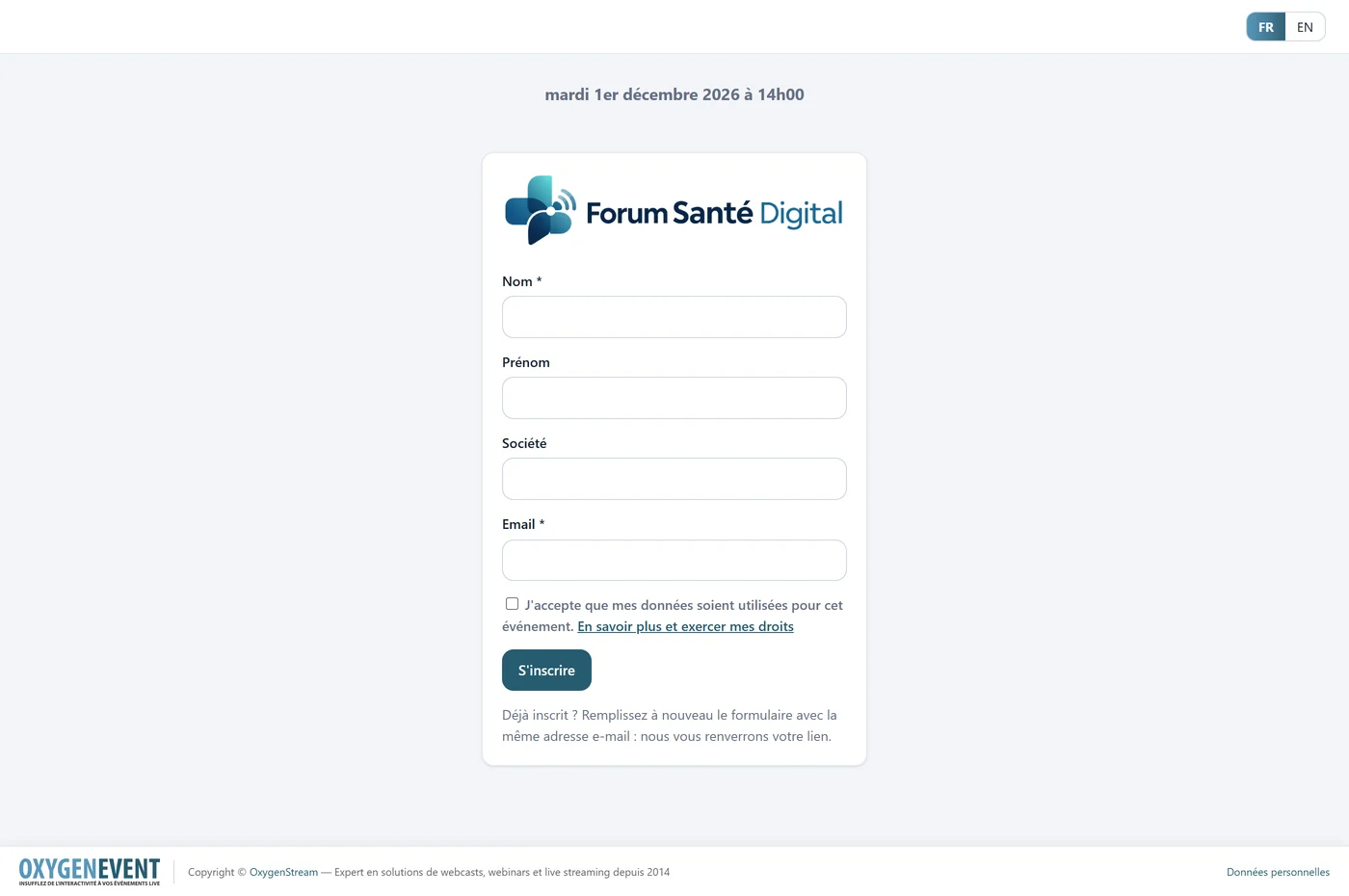
- Your event logo and name
- Event date and time
- Fields you choose
- Explicit GDPR consent
- Registration: confirmation e-mail
- French / English
The webinar home page carries your event's name, logo, date and colours.
During the webinar
A live page where people ask questions and vote
The live page brings together the video and everything that gets the audience involved, without leaving the screen.
- Your video player: the one from your streaming platform, embedded as long as it provides an embed address.
- Q&A: the audience writes, you approve before publication if you wish, your team answers.
- Live polls: the question appears over the video, and results appear in real time.
- Documents: programme, presentations and handouts to download from the live page.
- Host page: approved questions, in very large type, on a tablet.
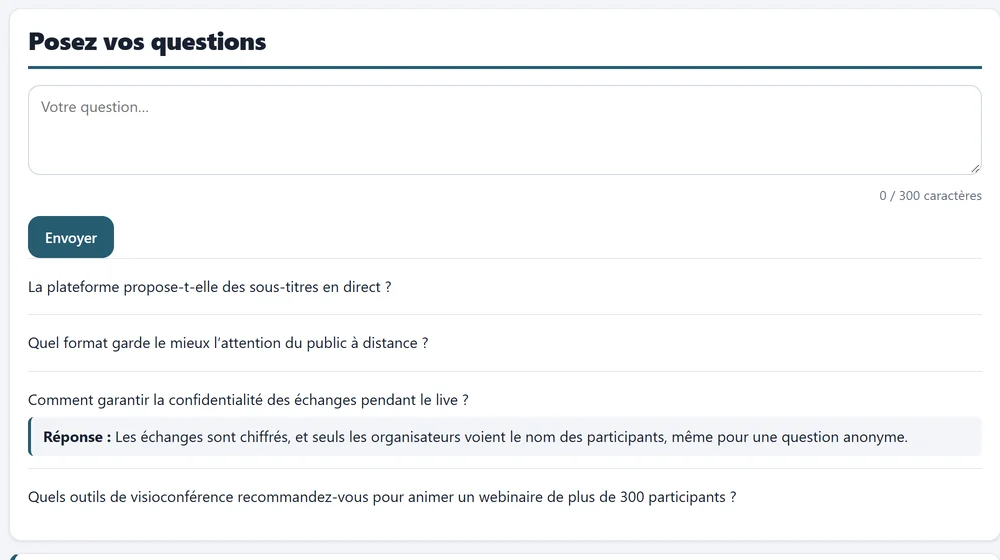
- Input box, 300 characters
- Questions approved by moderation
- The team's answer
Audience questions and the team's answers, on the live page.
Speakers
Introduce your speakers and the current speaker
Add your speakers with their photo and highlight the one who is talking during the webinar.
- Speaker gallery: first name, last name, role and photo (or initials) for each speaker.
- On stage in one click: the speaker appears straight away on the live page, under the player or as a banner over the video.
- Chapter speakers (optional): their photo, name and role, under the player.
- A programme in several parts: one chapter per segment (keynote, round table 1, 2, 3…), with a flagged host. You move from one to the next in one click and the audience only sees the speakers of the current chapter.
- From the host's tablet: change speaker without going through the administration area.
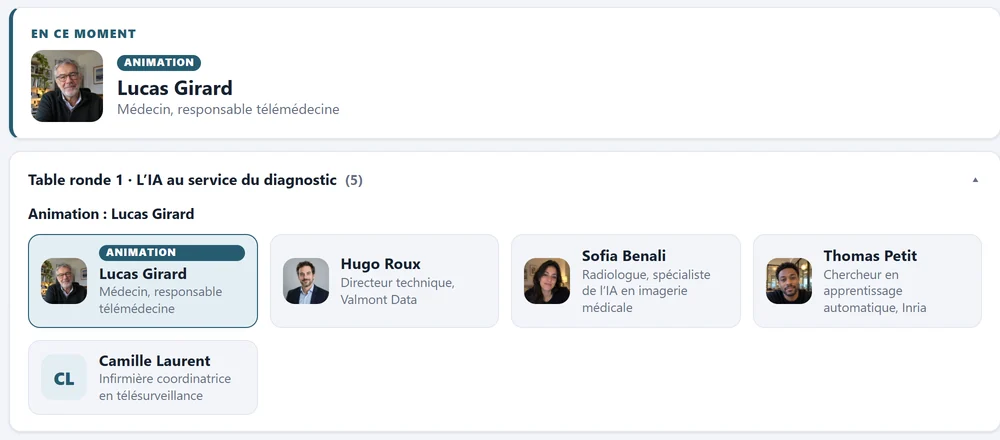
- Speaker on stage, with a photo
- Chapter being broadcast
- Chapter speakers
On the live page: the speaker on stage, then the speakers of the current chapter.
After the webinar
Measure your audience and collect feedback
Your wrap-up is ready as soon as the live ends, with no manual processing.
- Audience statistics: identified attendees, average duration, total time and per-person detail, filterable by period.
- Satisfaction survey: stars, a 0 to 10 score, multiple choice and free comments.
- Global Excel export: a single file with one sheet per module: attendees, questions, polls, satisfaction and audience.
- Built-in GDPR tools: consent on entry, attendees' rights and purging of old data.
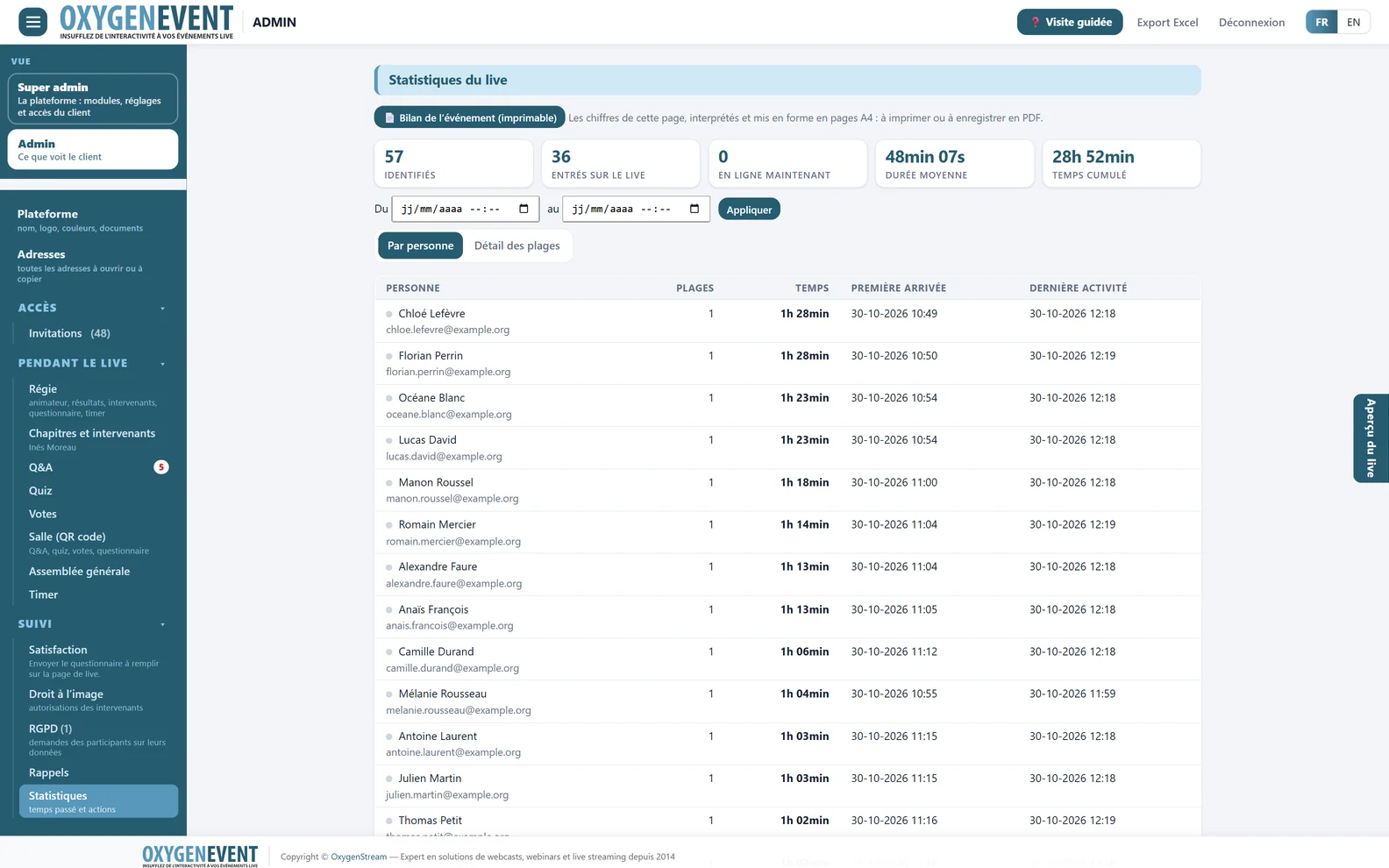
- Event report: A4 pages to print
- Identified, online, average duration
- Period filter
- Per person or connection detail
- First arrival, last activity
Live statistics: identified attendees, online now, average duration, total time.
Going further
One platform for all your live events
The same modules, switched on as you need them, serve every format: webinars, general meetings, live Q&A and live polls.
Frequently asked questions
Webinars: your questions
Is OxygenEvent suitable for a webinar?
Yes. The platform is designed for any event streamed live: webinars, conferences, general meetings or hybrid events. For a webinar, you switch on the modules you need: attendee access, Q&A, polls, documents and satisfaction.
Can we use our usual streaming tool?
Yes. The live page embeds the player from your streaming platform as long as it provides a secure embed address. OxygenStream can also handle filming, production and streaming for your webinar.
How do attendees register?
You choose an access mode: simple form, registration with a confirmation e-mail, invitations with a unique link, or direct access with no form. Only one mode is active at a time.
Can we moderate audience questions?
Yes. You can require approval before publication, then approve, hide, answer or delete each question. You also decide whether questions can be anonymous to the audience.
What can we measure after the webinar?
Audience (identified attendees, average duration, total time, per-person detail), poll answers and the satisfaction survey. Everything exports to a single Excel file.
Can we introduce the webinar speakers?
Yes, with the “Speakers and chapters” module: you add each speaker (first name, last name, role, optional photo), group them by chapter (keynote, round tables…) and put the speaker on stage in one click. They appear straight away on the live page, under the player or as a banner over the video.
Do attendees need to install anything?
No. Attendees, organisers and hosts simply use a web browser, on a computer, tablet or phone.
Give your next webinar room to breathe
A demonstration lets you see OxygenEvent at work on your webinar: date, number of attendees, the interactions you want.