
OxygenEvent · Live Q&A
Audience questions,
moderated live
The audience asks questions during the live, you approve what is displayed, your team answers and the host reads everything in very large type on a tablet: a Q&A module that is ready for the stage.
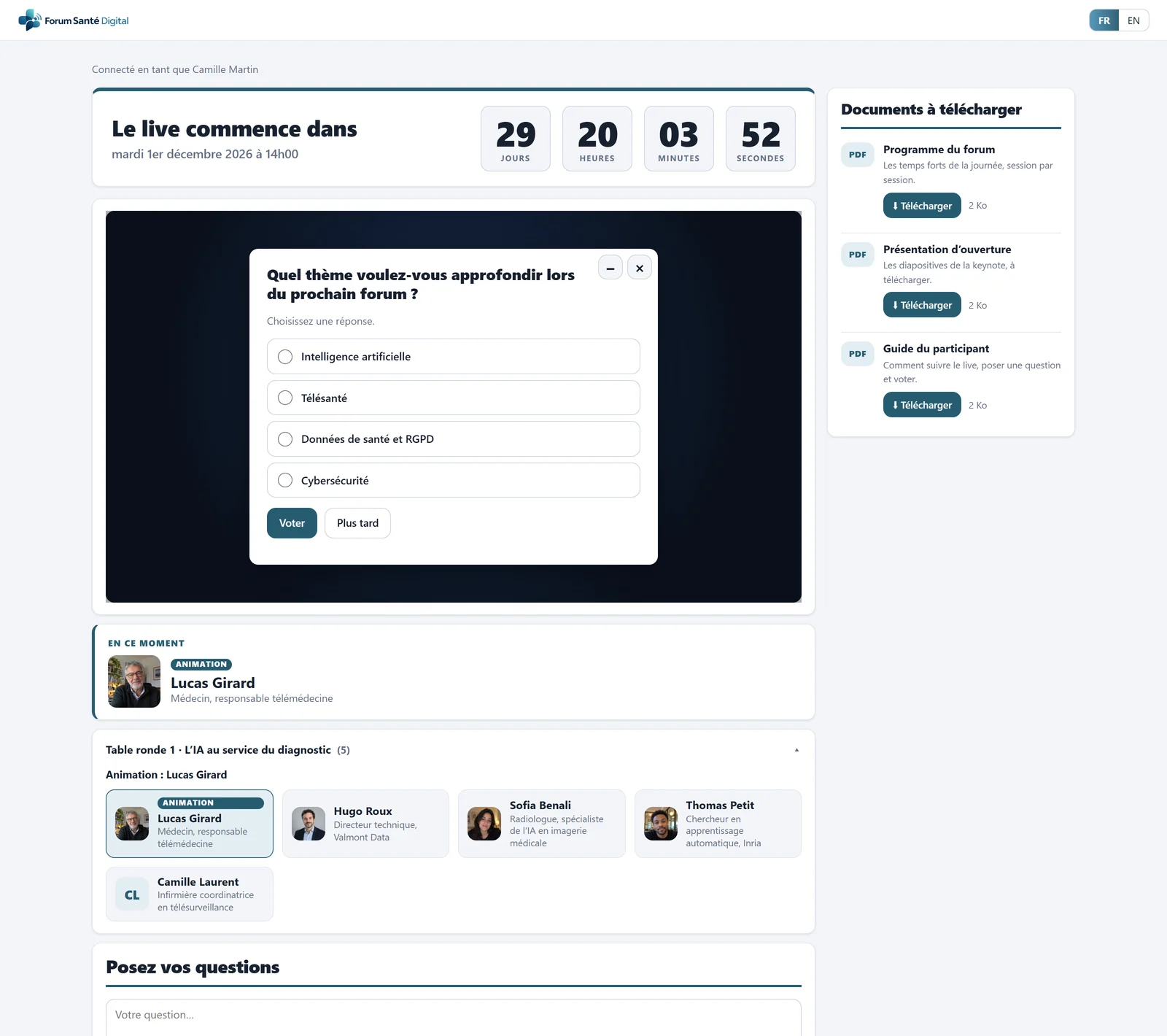
- Countdown before the live
- Your video player, embedded
- Poll question over the video
- Downloadable documents, tracked
- The speaker on stage, with a photo
- Speakers of the current chapter
The audience side
Ask a question without leaving the live
The questions area sits under the video, on a computer as on a phone.
- A question in seconds: the attendee types their question, anonymously if you allow it.
- Approval tracking: they see whether their question is published, then read the team's answer.
- Adjustable maximum length: you keep questions short and readable.
- On every screen: nothing to install, just a browser.
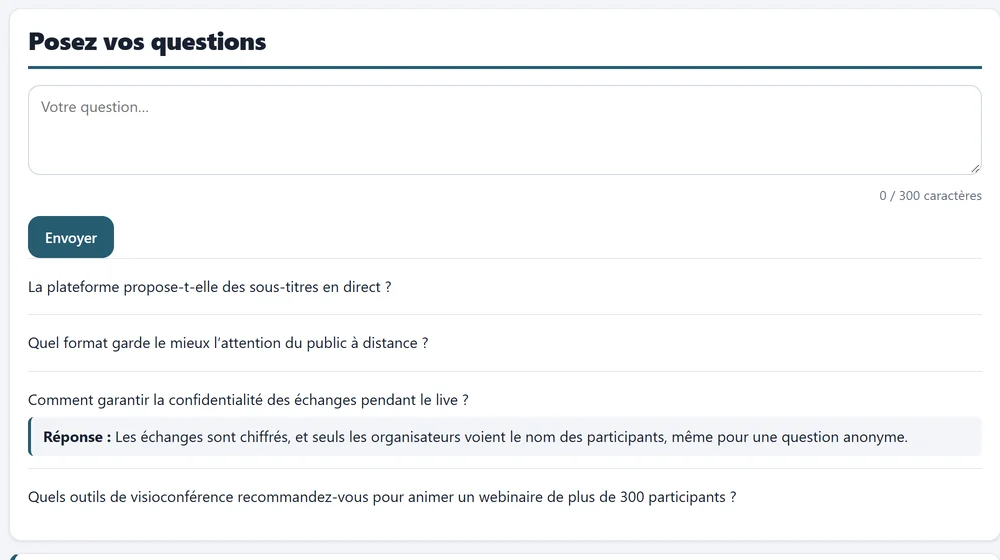
- Input box, 300 characters
- Questions approved by moderation
- The team's answer
Audience questions and the team's answers, on the live page.
The organiser side
Choose what is displayed, answer as a team
A dedicated tab in the administration area, usable during the live.
- Approval before publication: optional, you decide whether questions go through you.
- Every useful action: approve, hide, answer, delete, restore.
- Adjustable anonymity: you decide whether questions can be anonymous to the audience.
- Switch on or off at any time: you open and close questions as the programme requires.
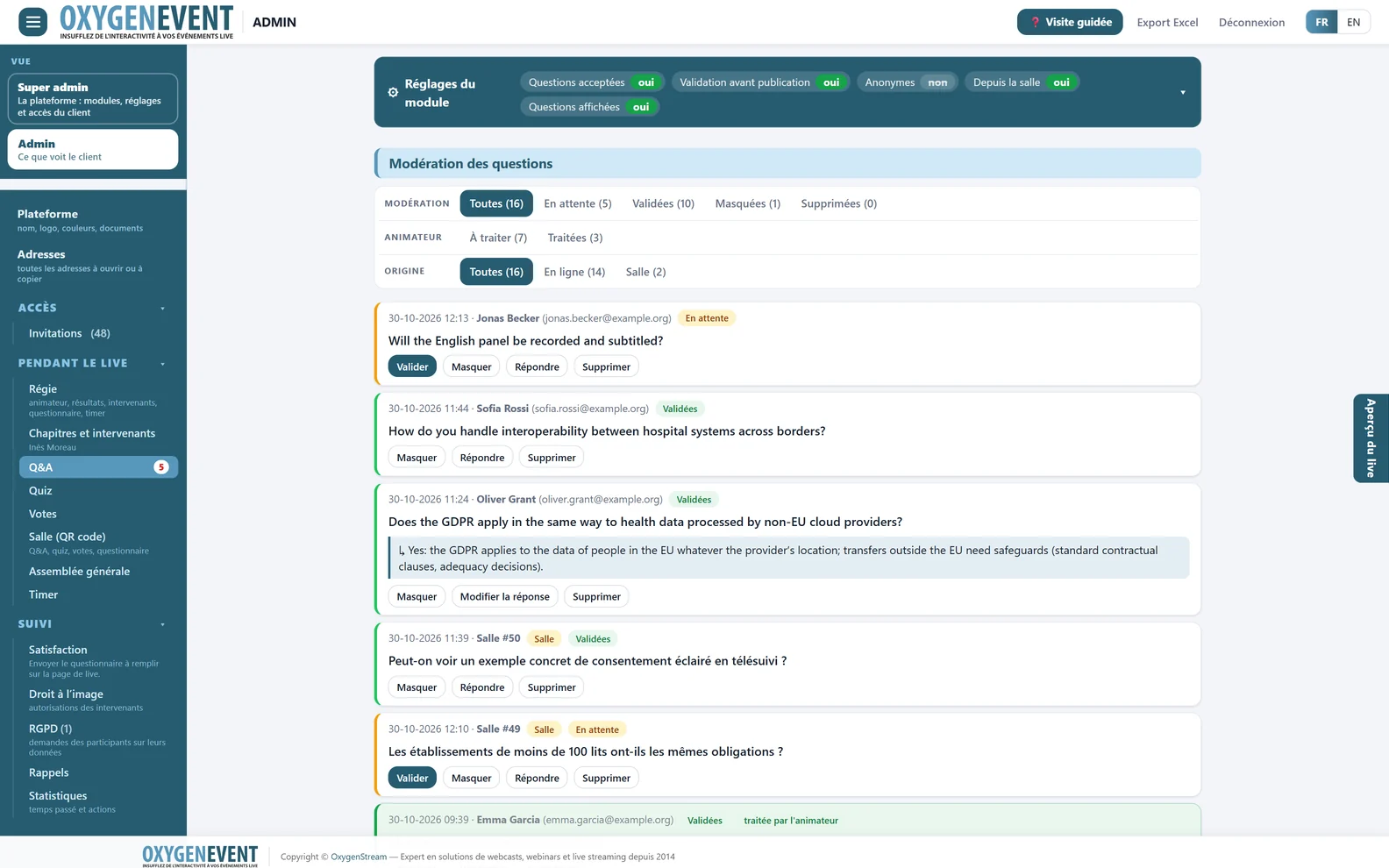
- Collapsed settings
- Filters: status, host
- Origin: online or room
- Question asked from the room
- Approve, hide, answer, delete
Moderation: approve, hide, answer, delete, restore.
The stage side
A host page that is readable at a glance
The host has no access to the administration area: they read the questions and that is all.
- Short address and a 4-digit PIN code, or a direct link with nothing to type.
- Approved questions only: an anonymous question stays “Anonymous”.
- Very large text: A− / A+ buttons to suit the reading distance.
- “Done” tick box: new questions are updated automatically.
- Speaker on stage: the same tablet lets the host change the speaker shown on the live (Chapters and speakers module).
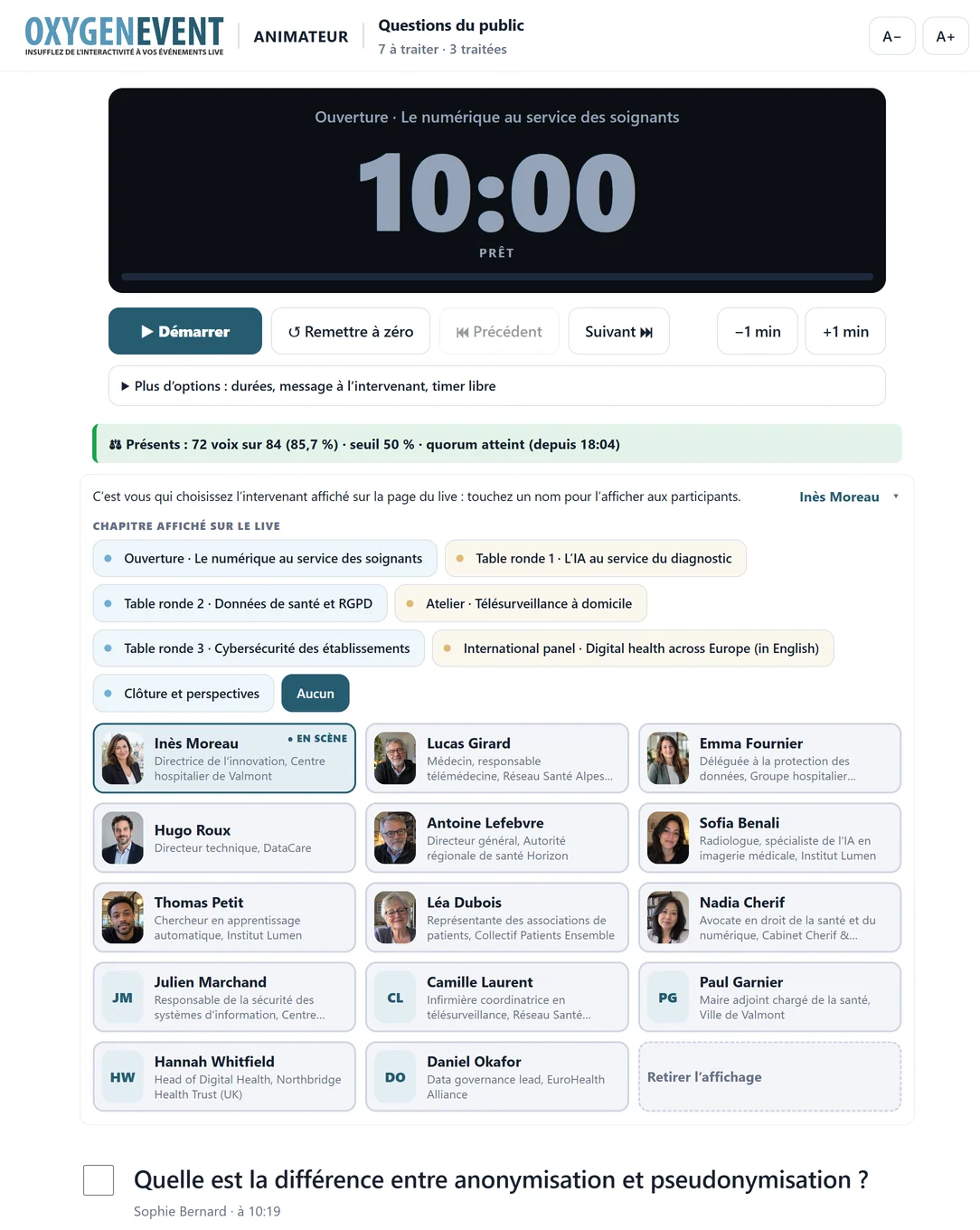
- A− / A+: text size
- Timer: start, pause, ±1 min
- Live quorum, on the tablet
- Chapter being broadcast
- Show or hide the list
- Speaker on stage in one tap, with a photo
- "Done" tick: question tracking
- Approved questions, in large type
The host page, designed for a tablet on stage.
Going further
One platform for all your live events
The same modules, switched on as you need them, serve every format: webinars, general meetings, live Q&A and live polls.
Frequently asked questions
Live Q&A: your questions
Can attendees ask questions anonymously?
It depends on the access mode you choose and your settings. In every case, you decide whether questions can be anonymous to the audience and whether they go through approval.
Do questions need approval before publication?
It is optional. If you switch approval on, only the questions you approve appear for the audience and on the host page.
How does the host read the questions?
On a dedicated page, reached with a short address and a 4-digit PIN code, or with a direct link. The text is very large, adjustable with A− / A+ buttons, and the host ticks the questions that have been dealt with.
Does the attendee see the answer?
Yes. They follow the approval of their question and read the team's answer on the live page.
Can we export the questions?
Yes. A global Excel export gathers all the event's data, with a sheet for questions.
Does anything need to be installed?
No. Attendees, organisers and hosts simply use a web browser, on a computer, tablet or phone.
Give the audience of your next live a voice
A demonstration lets you see the Q&A module at work: moderation, host page and live page.