
OxygenEvent · Live voting
Live voting,
right over the video
Launch a question whenever you like, the audience answers in one tap, results update in real time and the production team shows them full screen, straight from their mixing software.
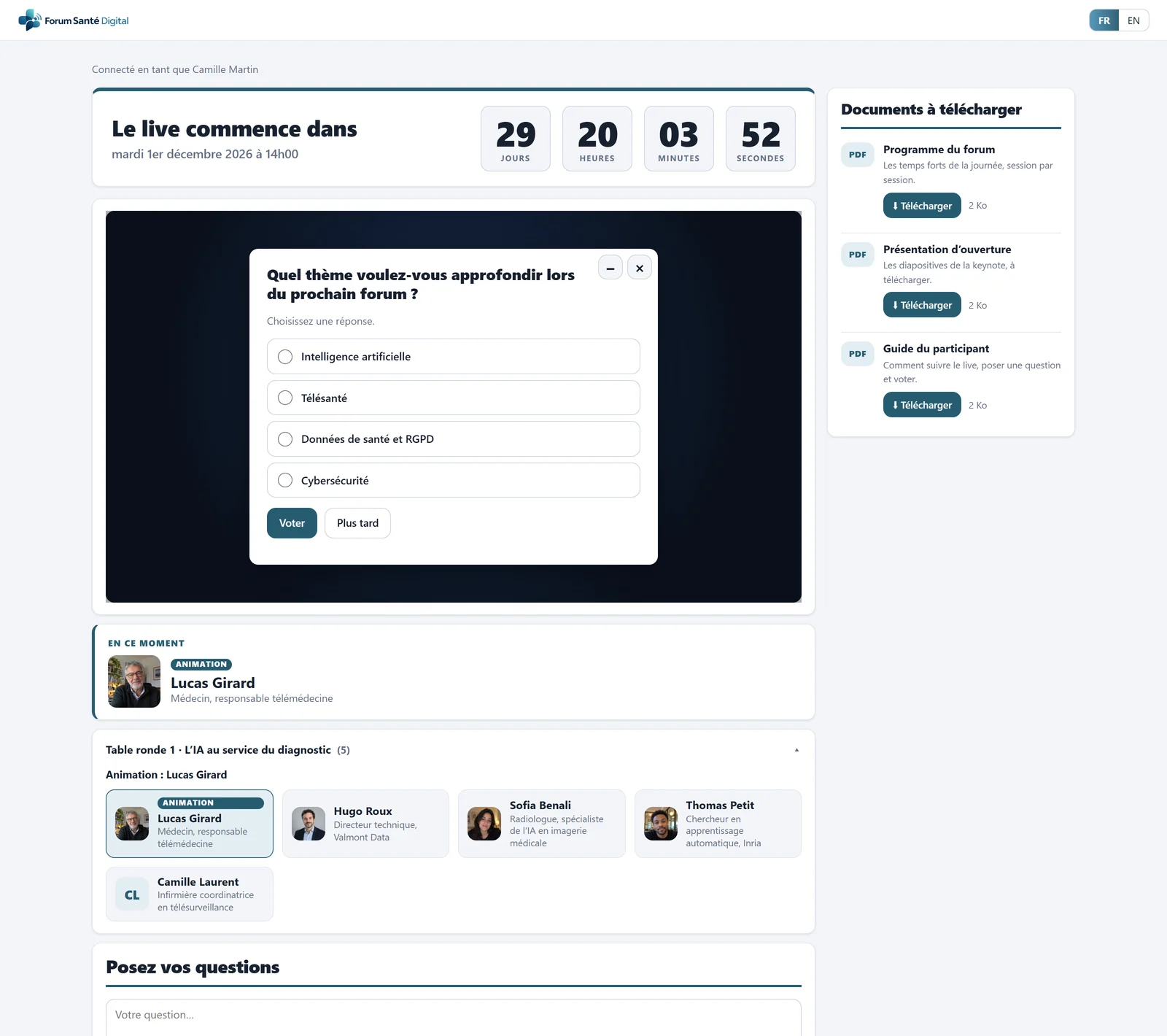
- Countdown before the live
- Your video player, embedded
- Poll question over the video
- Downloadable documents, tracked
- The speaker on stage, with a photo
- Speakers of the current chapter
Launch the poll
A question at the right moment, one tap to answer
The organiser prepares questions in advance and sends them when the live calls for it.
- Over the video: the question appears on the live page, over the video.
- Single or multiple choice: up to 12 options per question.
- One vote per attendee: everyone answers once.
- Manual closing: you close the poll when you decide.
- In-room voting: a QR code on the control-room screen: people in the room vote from their phone, with no login.
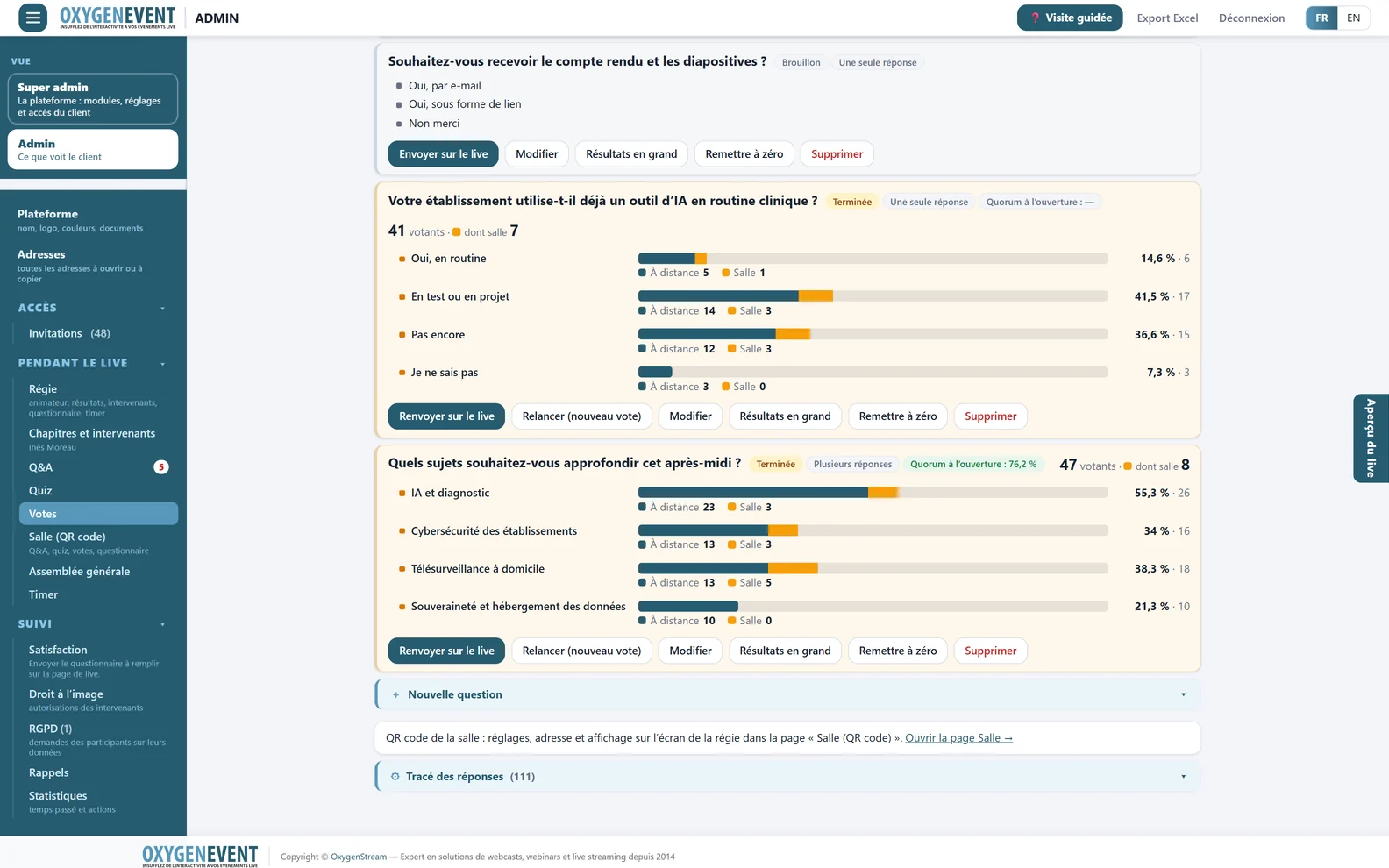
- Live results: remote and in the room
- Send again, restart, big results
- Quorum photographed when the poll opens
Poll administration: questions, options and live results.
Display the results
Results ready for broadcast
One page shows only the results, in very large type, sized for 1920 × 1080 and updated live. You add it as a browser source in your mixing software.
- Background of your choice: dark (default), light, green for keying or transparent.
- Bar colour: matched to your brand.
- Current or specific question: you choose what is displayed.
- Short address and PIN, or a direct link.
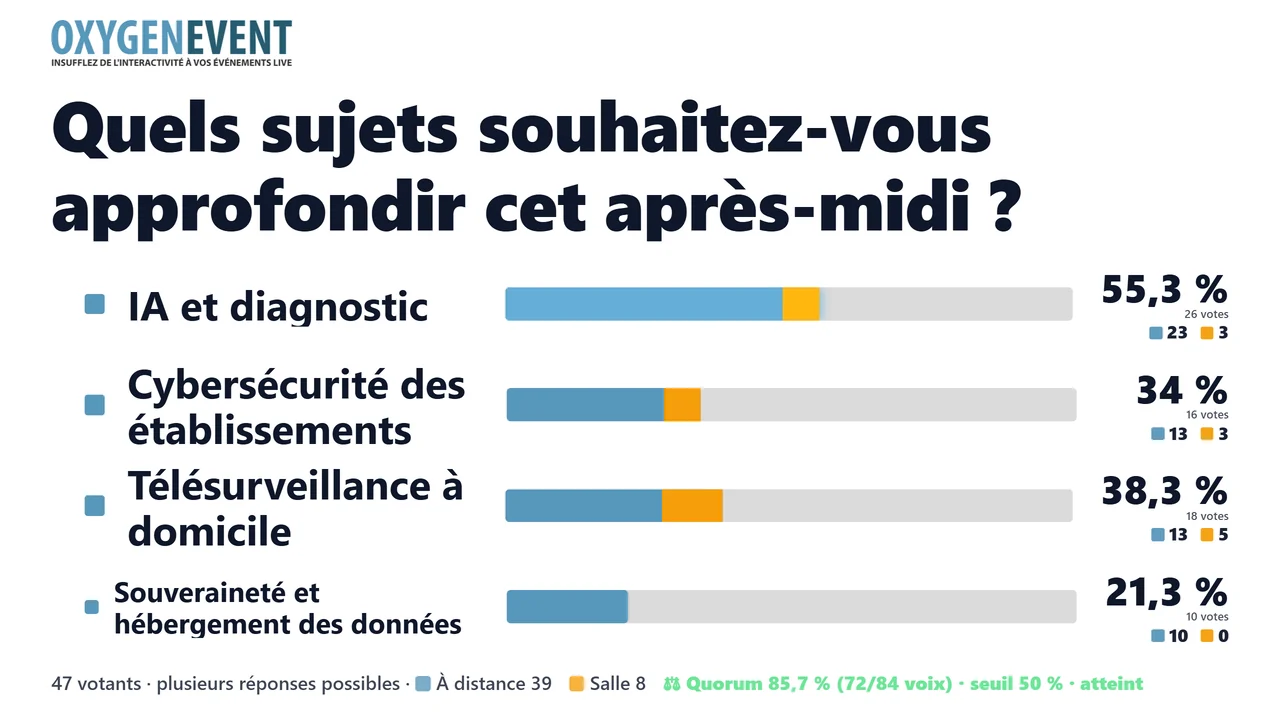
Light background, bar colour matched to your brand.
Analyse
Keep the results after the live
Answers remain available in the administration area once the live is over.
- Figures: viewable on screen and exportable as CSV.
- Global Excel export: one sheet per module, including polls.
- Satisfaction: a survey offered at the end of the live, with averages, recommendation score and free comments.
- Built-in GDPR tools: consent on entry and attendees' rights.
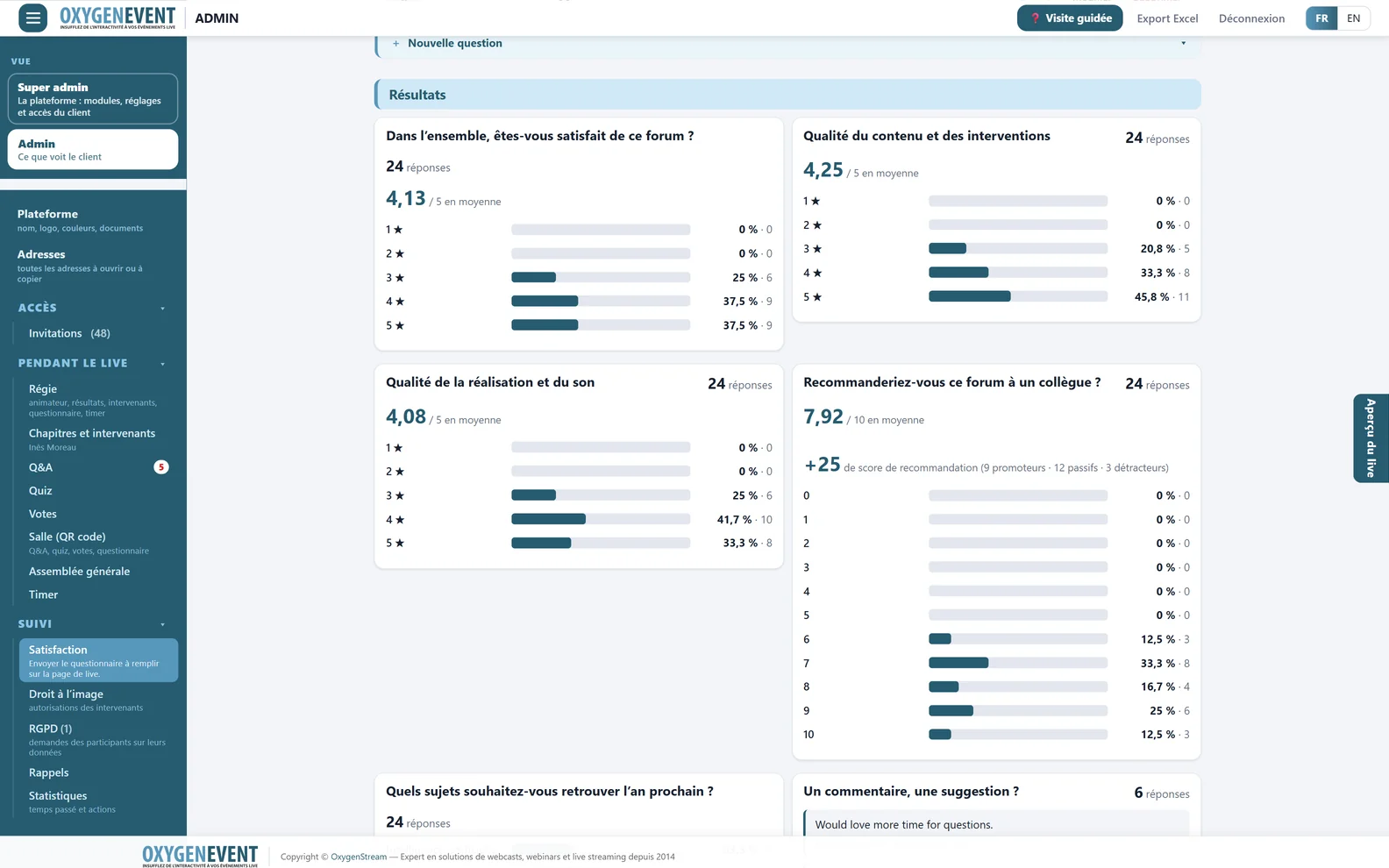
After the poll, the satisfaction survey: averages and breakdown.
Going further
One platform for all your live events
The same modules, switched on as you need them, serve every format: webinars, general meetings, live Q&A and live polls.
Frequently asked questions
Live voting: your questions
How does live voting work?
The organiser sends a question from the administration area. It appears over the video on the live page, attendees answer, and results update in real time until the poll is closed manually.
How many options can we offer?
Up to 12 options per question, as single or multiple choice.
Can an attendee vote more than once?
No. Each attendee answers a given question once.
How do we show results on air?
A dedicated results page, sized for 1920 × 1080, is added as a browser source in your mixing software. The background is dark, light, green or transparent, and the bar colour follows your brand.
Can we export the results?
Yes. Results export as CSV, and a global Excel export gathers all the event's data.
Can people in the room vote?
Yes. A QR code appears on the control-room screen: they scan it and vote from their phone, with no login, on the same question as remote attendees. Results show “Remote” and “Room” votes separately.
Does voting work on a phone?
Yes. The live page and poll questions adapt to computers, tablets and phones, with nothing to install.
Let the audience of your next live vote
A demonstration lets you see live voting at work: a question over the video and full-screen results.