OxygenEvent · by OxygenStream

Give your
live events room to breathe

OxygenStream's event platform: welcome your attendees, run the room, take live polls, collect feedback and follow your audience, all on one live page, in your own colours.
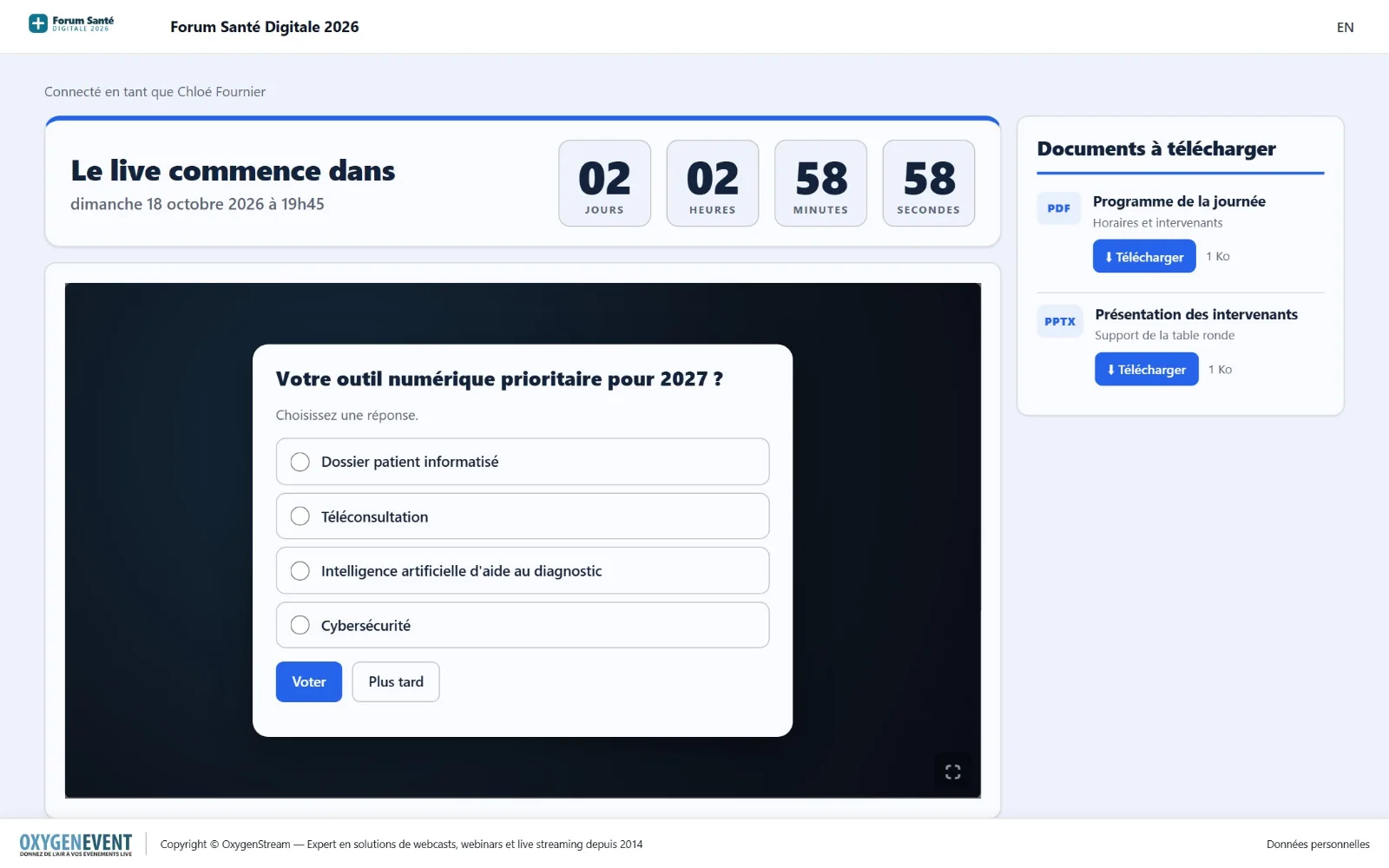
OxygenEvent live page: countdown, video player, documents and a poll question over the video
Since 2014OxygenStream's live streaming expertise
EN · FRbilingual interface, administration included
GDPR built inconsent and attendee rights
No app to installeverything runs in the browser, on mobile too

The platform

One platform, five spaces designed for everyone involved in your event

Everyone gets what they need and nothing more: attendees enjoy the live, the organiser is in control, the host reads the questions, production displays the results, and you stay in charge of the whole.

Attendees

They join easily, watch the live, ask questions, vote, give feedback and manage their own data.

Administration

The organiser sets up the event: identity, colours, documents, moderation, polls, statistics and exports.

The host

Reads the audience's questions in very large type on a tablet and ticks off the ones already handled.

Production

Displays poll results full screen, straight into the video mixing software.

Set-up

Each event is built à la carte: modules, access mode, organiser rights and general settings.

For your attendees

Simple access, tailored to each event

You choose how attendees get in. One mode at a time, enabled in one click.

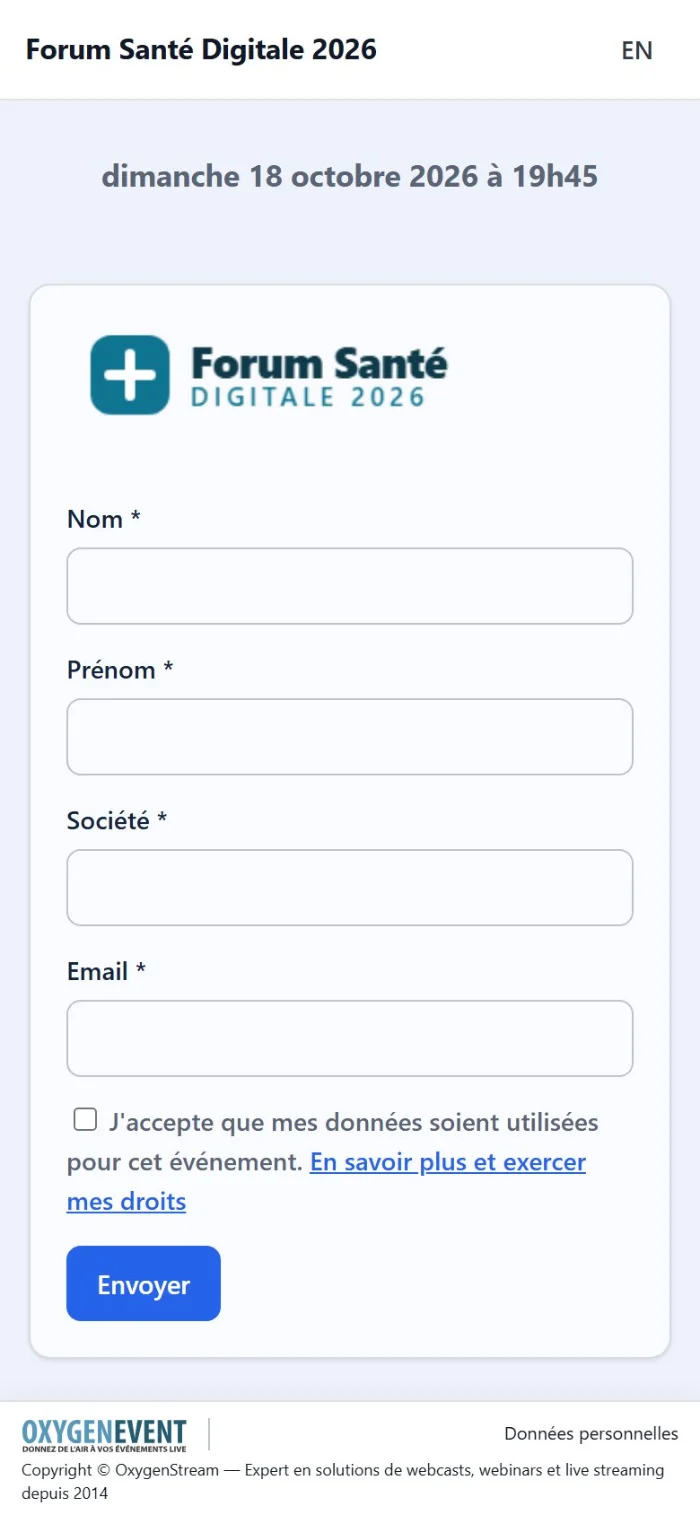
  • Simple form: first name, last name, company, e-mail: you pick the fields. Attendees accept the use of their data and land on the live.
  • Registration: a confirmation e-mail with the event date and access (personal link, or login and password, "forgot password" included).
  • Invitations: paste your e-mail list; each guest receives a unique link (and a generated password if you wish), sent from the interface, with Excel export.
  • Direct access: no form, attendees go straight to the live. They can pick a nickname in one click.

One access equals one person: an attendee can watch the live on one device at a time, which discourages link sharing.
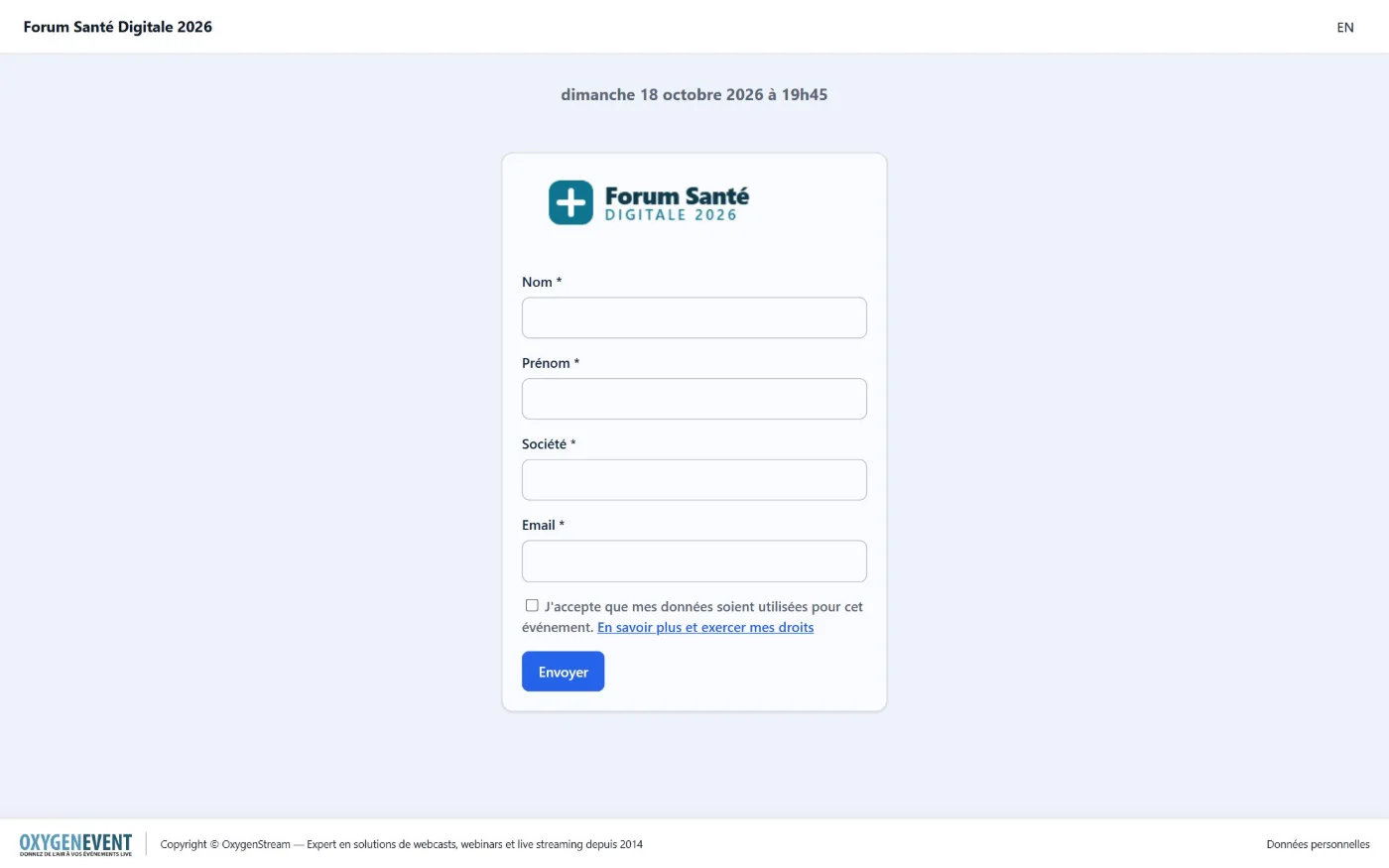
Event home page with registration form, in the organiser's name and colours

The home page carries your event's name, logo, date and colours.

Interactivity & engagement
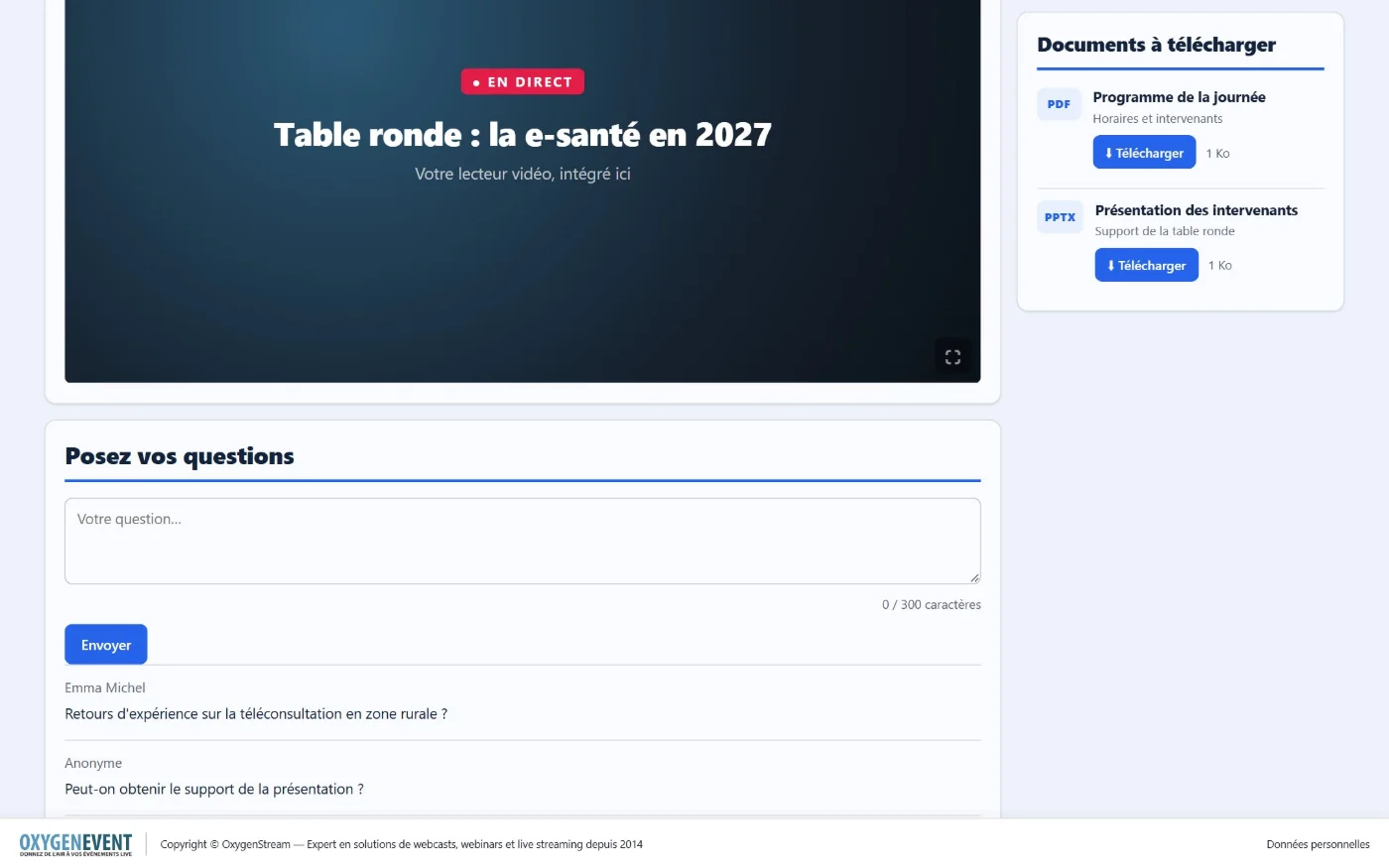
A live page that gives the audience a voice

  • Your video player embedded: any streaming platform that offers an embeddable player, with a full-screen button.
  • Countdown before the start, which folds away by itself at zero to make room for the player.
  • Q&A: attendees ask their question (anonymously if you allow it), follow its approval and read the team's answer.
  • Live polls: the question appears over the video, even in full screen, and attendees answer in one tap.
  • Downloadable documents: programme, presentations, resources, with download tracking.
  • Satisfaction survey offered at the end of the live, never covering a poll in progress.
Live page: video player, downloadable documents and audience question area

Player, documents and audience questions on a single page.
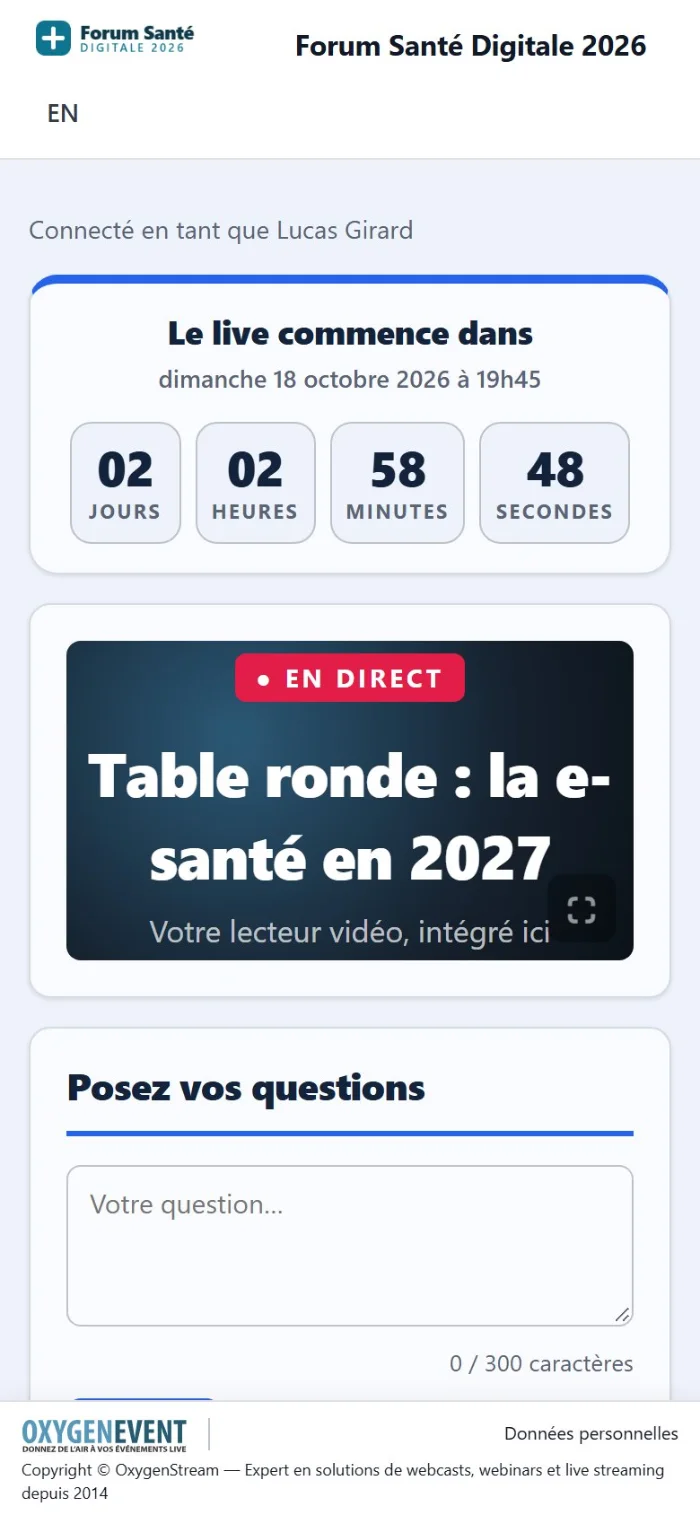
Live page on a phone
Home page on a phone

On every screen

At the office, in the room or in your pocket

Everything is designed for mobile: attendees register and watch the live from their phone, with nothing to install.
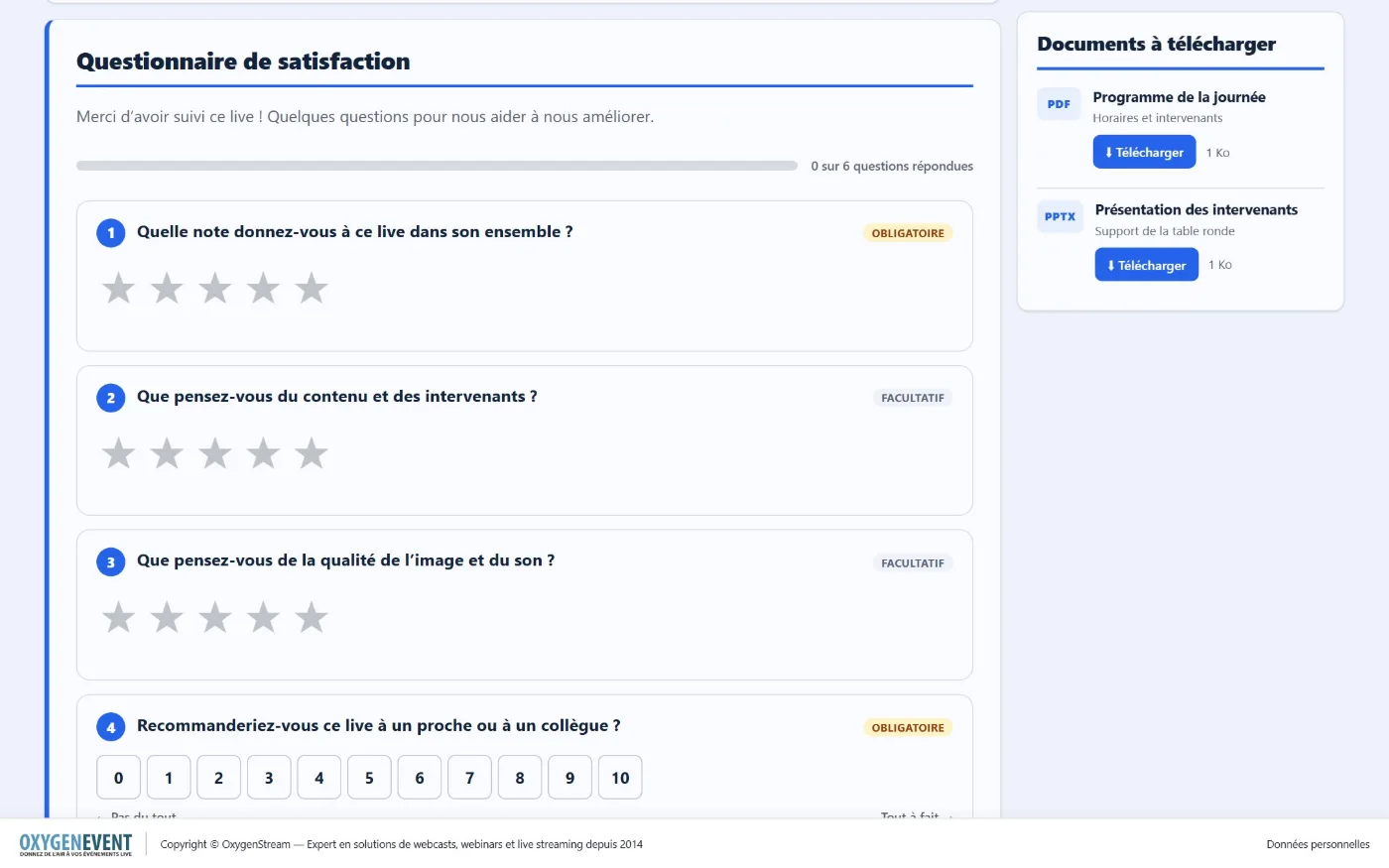
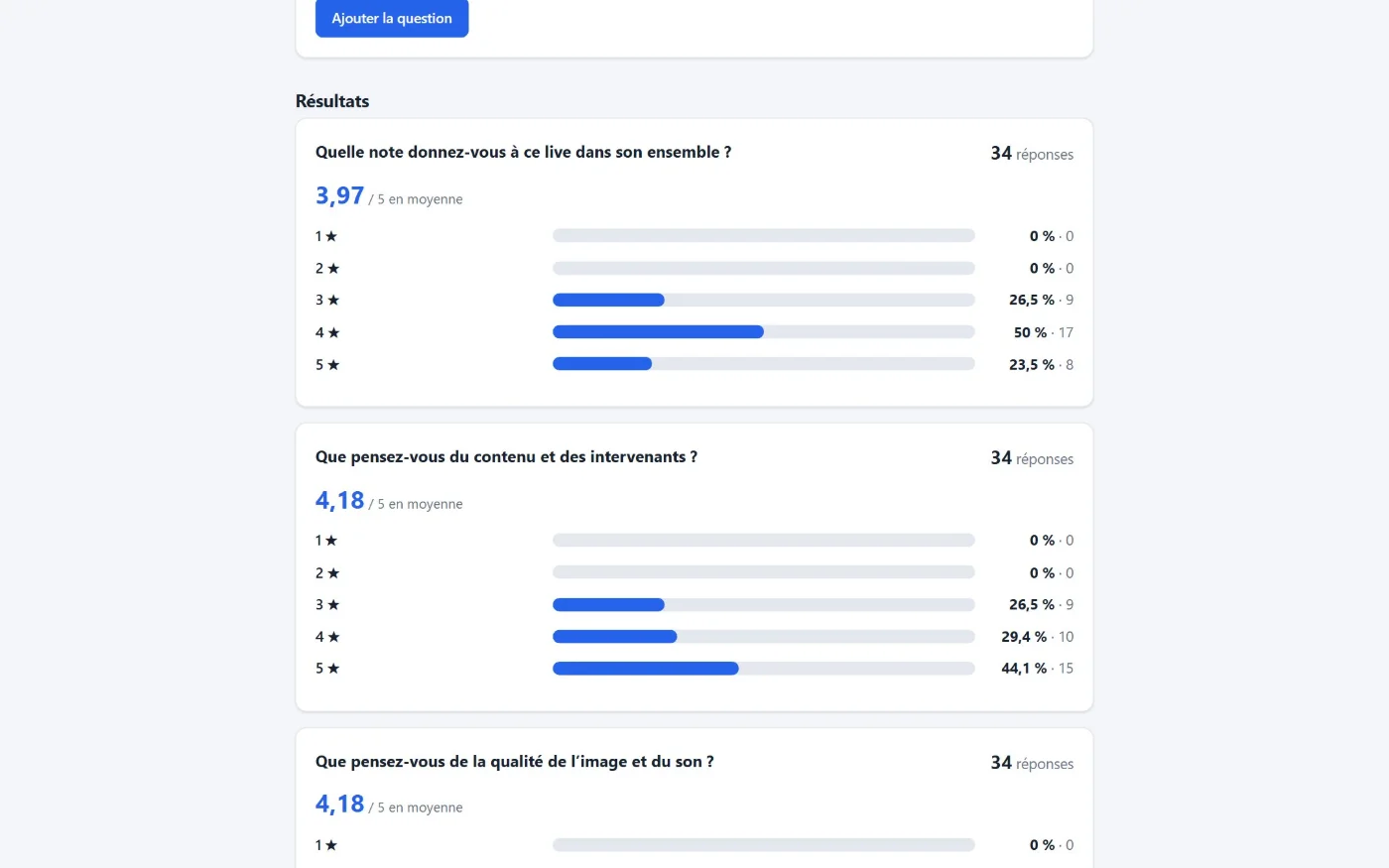
Satisfaction survey: stars, 0 to 10 score, multiple choice

Satisfaction survey: stars, 0 to 10 score, choices and free comment.

For the organiser

Moderate, poll, measure: live

A single password-protected administration area, with one tab per enabled module. At any moment the organiser stays in control: opening and closing a poll, switching questions on or off, launching the survey.
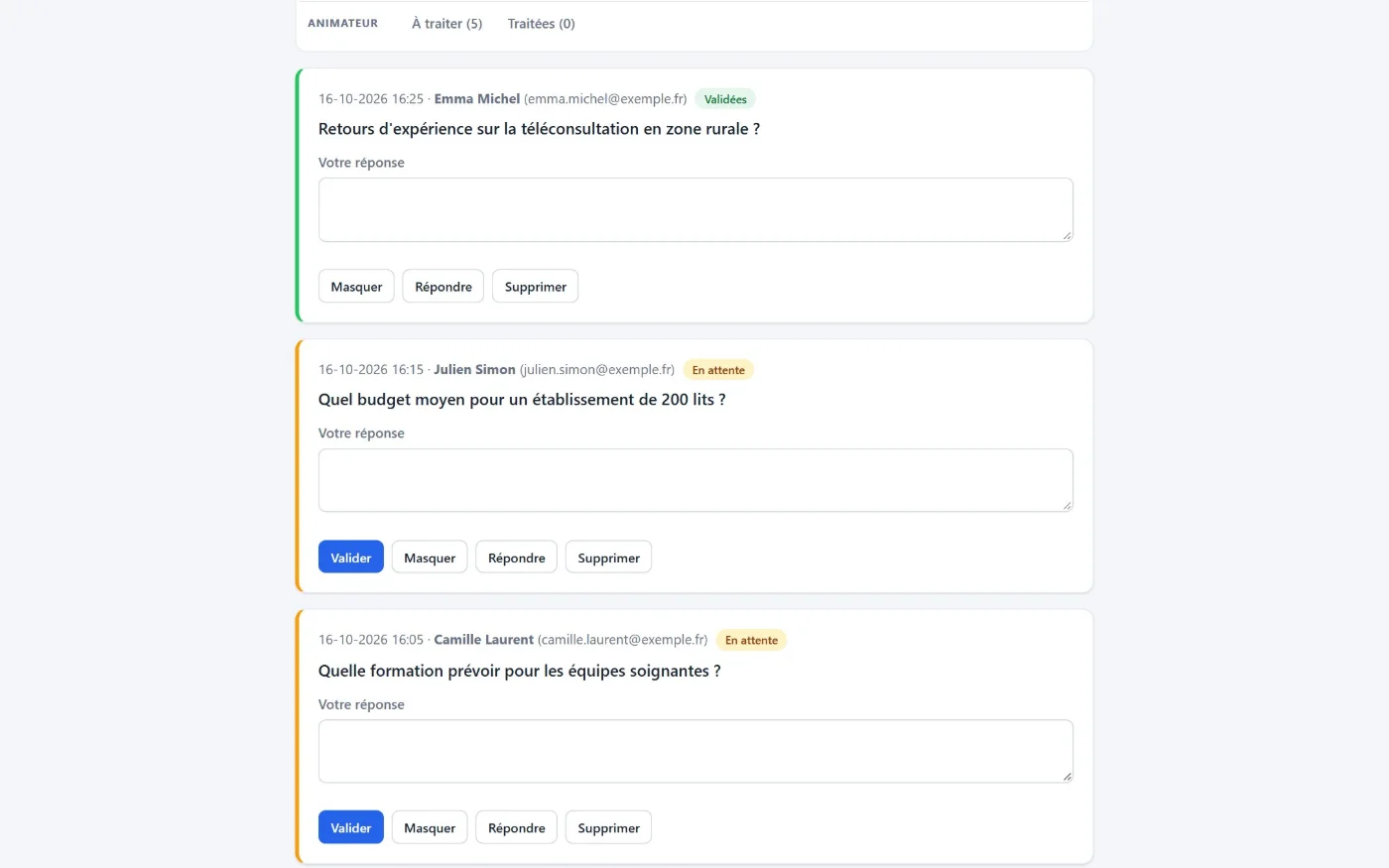
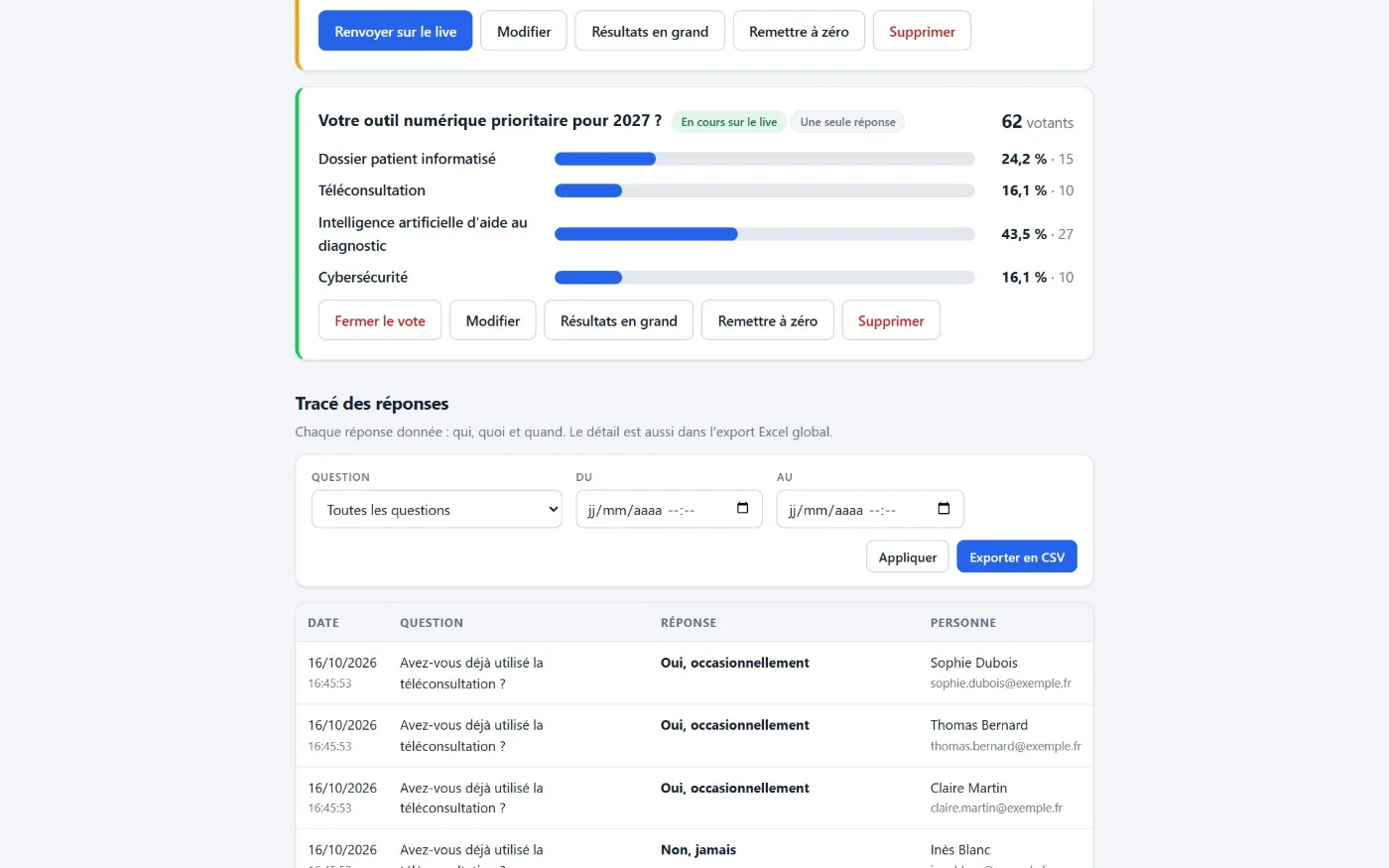
Question moderation: approve, hide, answer, delete

Questions & answers

  • Approval before publication (optional)
  • Approve, hide, answer, delete, restore
  • Adjustable anonymity and maximum length
Live polls: real-time results and answer log

Polls

  • Single or multiple choice, up to 12 options
  • Sent to the live when you decide, closed manually
  • Real-time results, CSV export
Satisfaction survey results: averages and distribution

Satisfaction

  • Survey ready in one click, or custom-built
  • Opened manually or on a schedule
  • Averages, distribution, response rate

Statistics & exports

Usable figures, ready-to-use exports

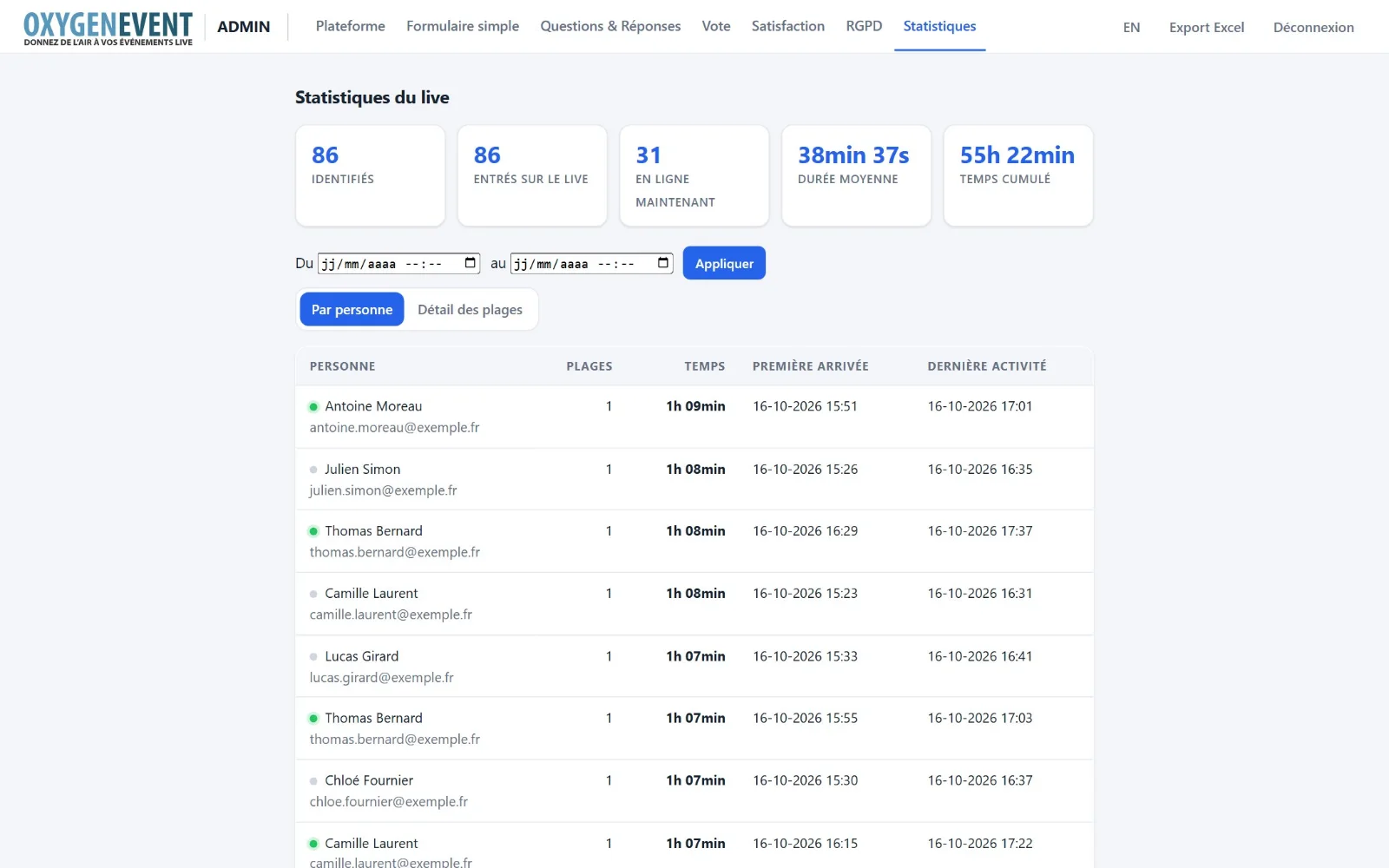
  • Audience: identified attendees, online now, average duration, total time and per-person detail, filterable by period.
  • Global Excel export: a single file, one sheet per module (attendees, questions, polls, satisfaction, documents, audience).
  • Invitations: pasted lists, instant search, e-mail sending, generated passwords, Excel file with direct links.
  • Large volumes: paginated lists and exports tested with several thousand attendees.
Audience statistics dashboard

Live statistics: identified, online now, average duration, total time.

Stage & production

Built for the people who run the live too

The host on stage and the production crew in the control room each have their own page, with no access to the administration.
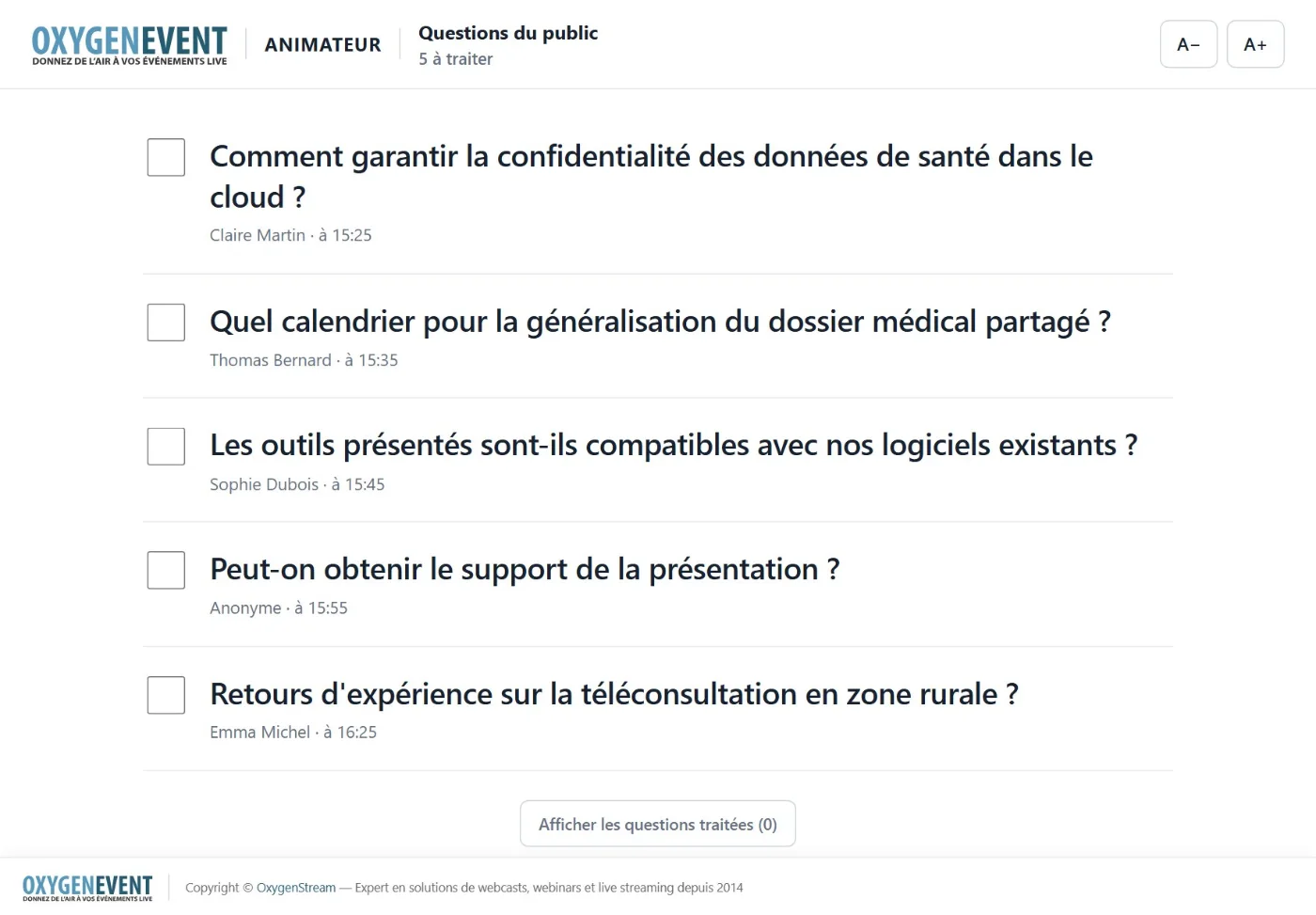
The host: audience questions, readable at a glance

  • Short address and 4-digit PIN, or a direct link with nothing to type.
  • Approved questions only; an anonymous question stays "Anonymous".
  • Very large text with A− / A+ buttons to suit the reading distance.
  • "Handled" tick box and automatic refresh of new questions.
Host page: audience questions in large type

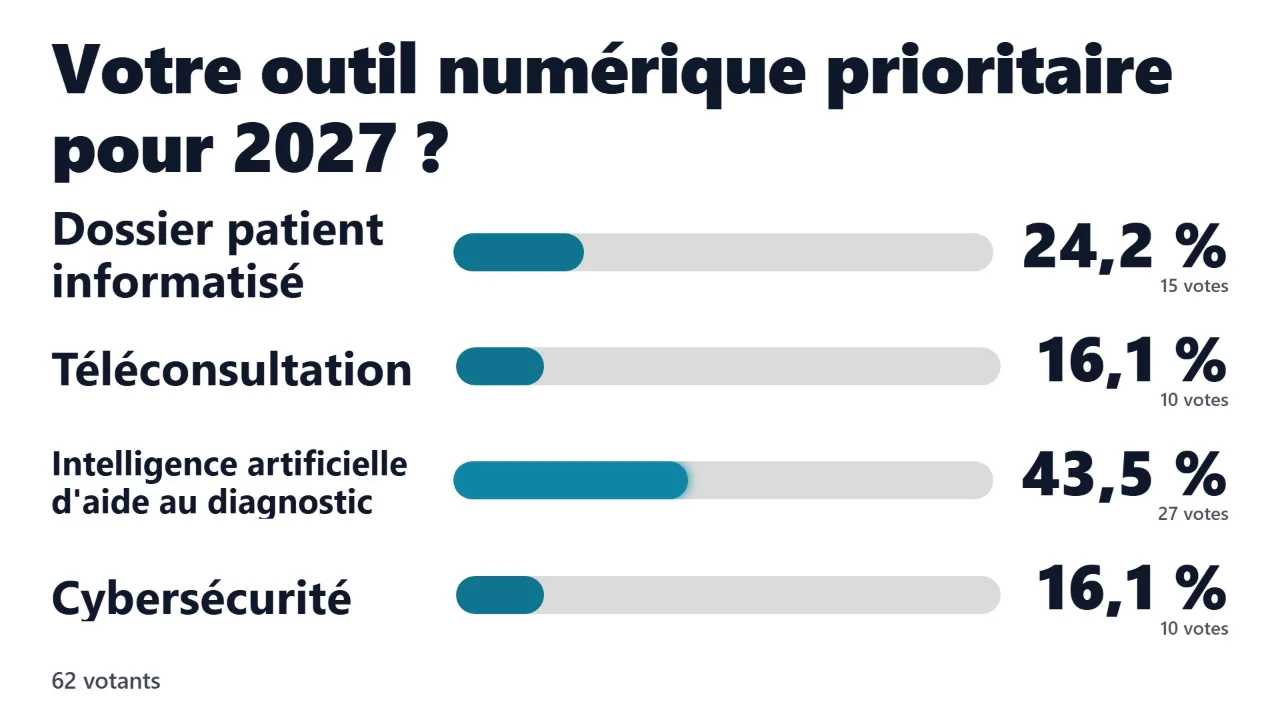
Production: poll results, ready for broadcast

A page that shows only the results, very large, sized for 1920 × 1080 and updated live, to add as a browser source in your video mixing software.
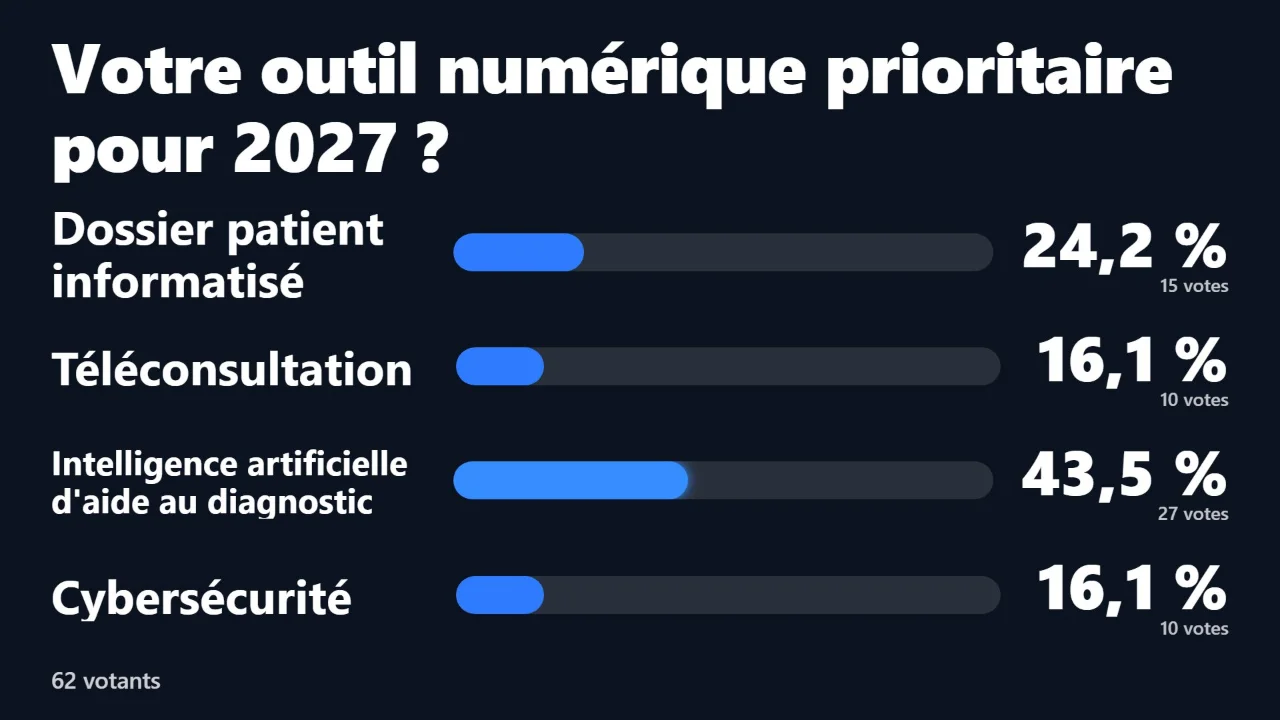
Poll results on a dark background

Dark background (default)

Poll results on a light background with custom bar colour

Light background, bar colour matching your brand
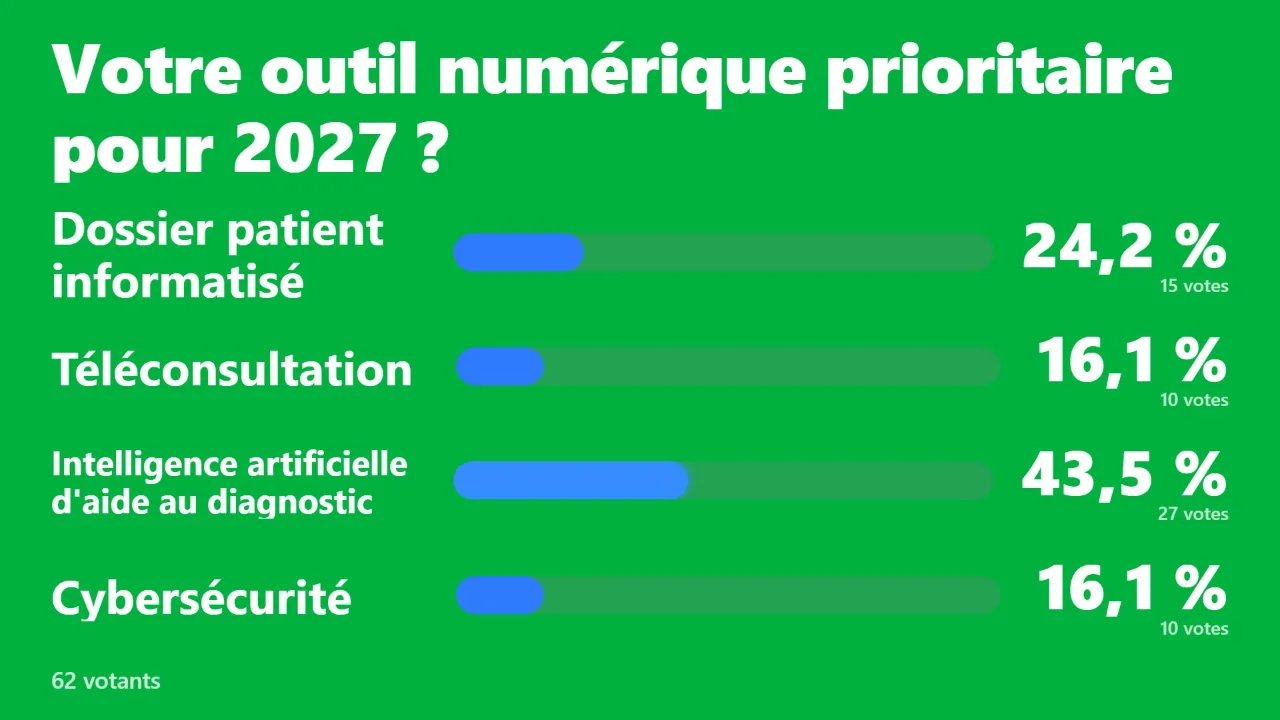
Poll results on a green background for keying

Green background for keying

  • Short address + PIN or direct link
  • Dark, light, green or transparent background
  • Bar colour of your choice
  • Current or specific question
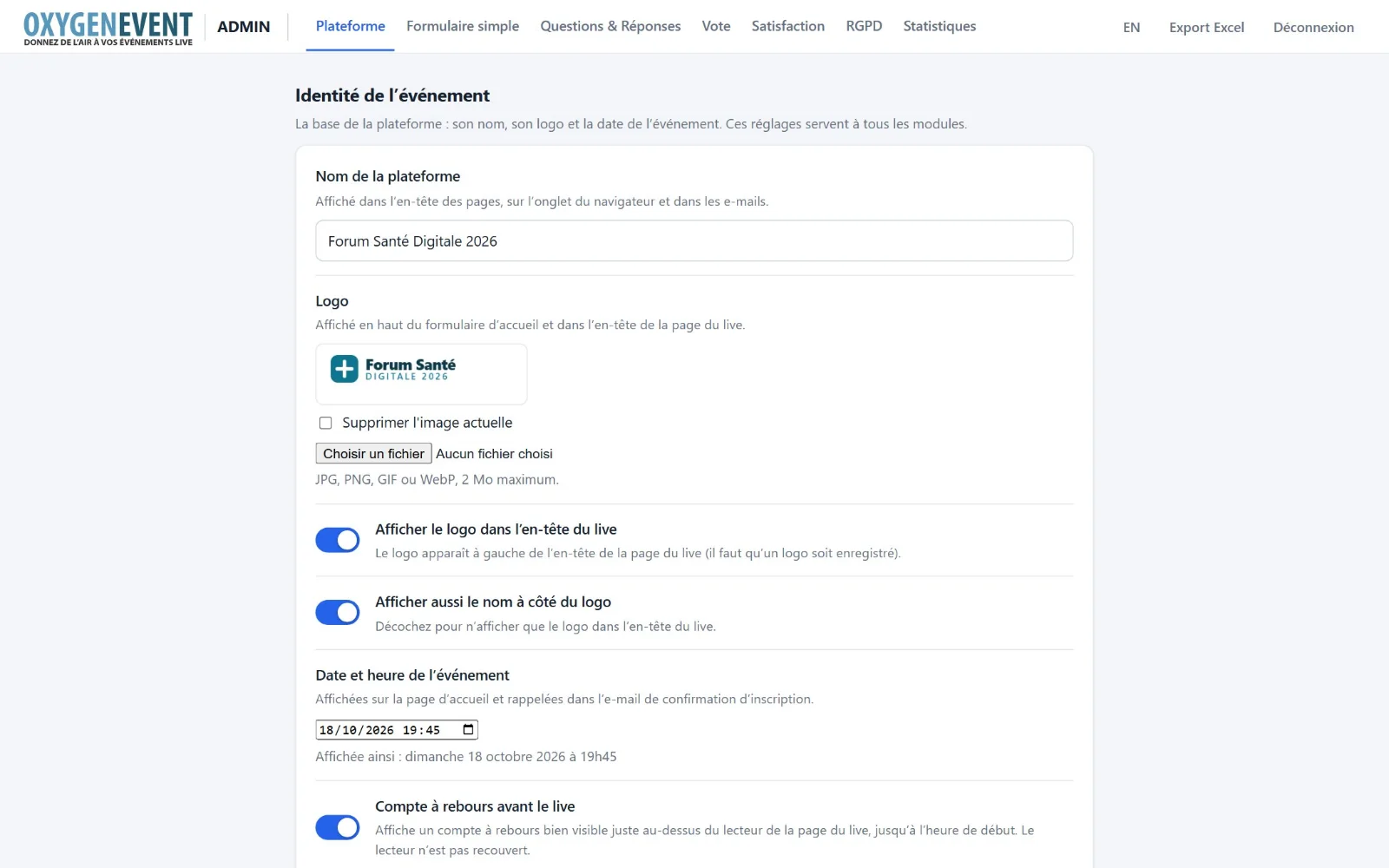
Platform tab: name, logo, event date, countdown

Your own look

The event carries your identity, not ours

  • Identity: event name, logo, date and time.
  • Colours: background, text, header and footer; legibility adapts automatically to the palette you choose.
  • Countdown shown on the live, with your own wording.
  • Documents: upload PDFs and presentations, with title, description, order, hiding and download tracking.
  • English and French for every page, administration included.

Security & compliance

Data under control, reassured attendees

  • Explicit consent before any data is collected, and an automatically generated privacy notice.
  • Self-service rights: secure e-mail access, download, correction (including their own questions and answers), erasure.
  • Request register and erasure records that contain no personal data; purge of old data.
  • Protected access: passwords never stored in clear text, limited login attempts, one active device per attendee.
  • An isolated space per client: dedicated installation and database, no data shared between events.
  • No third-party resources loaded in the pages: fonts and scripts are served by the platform itself.
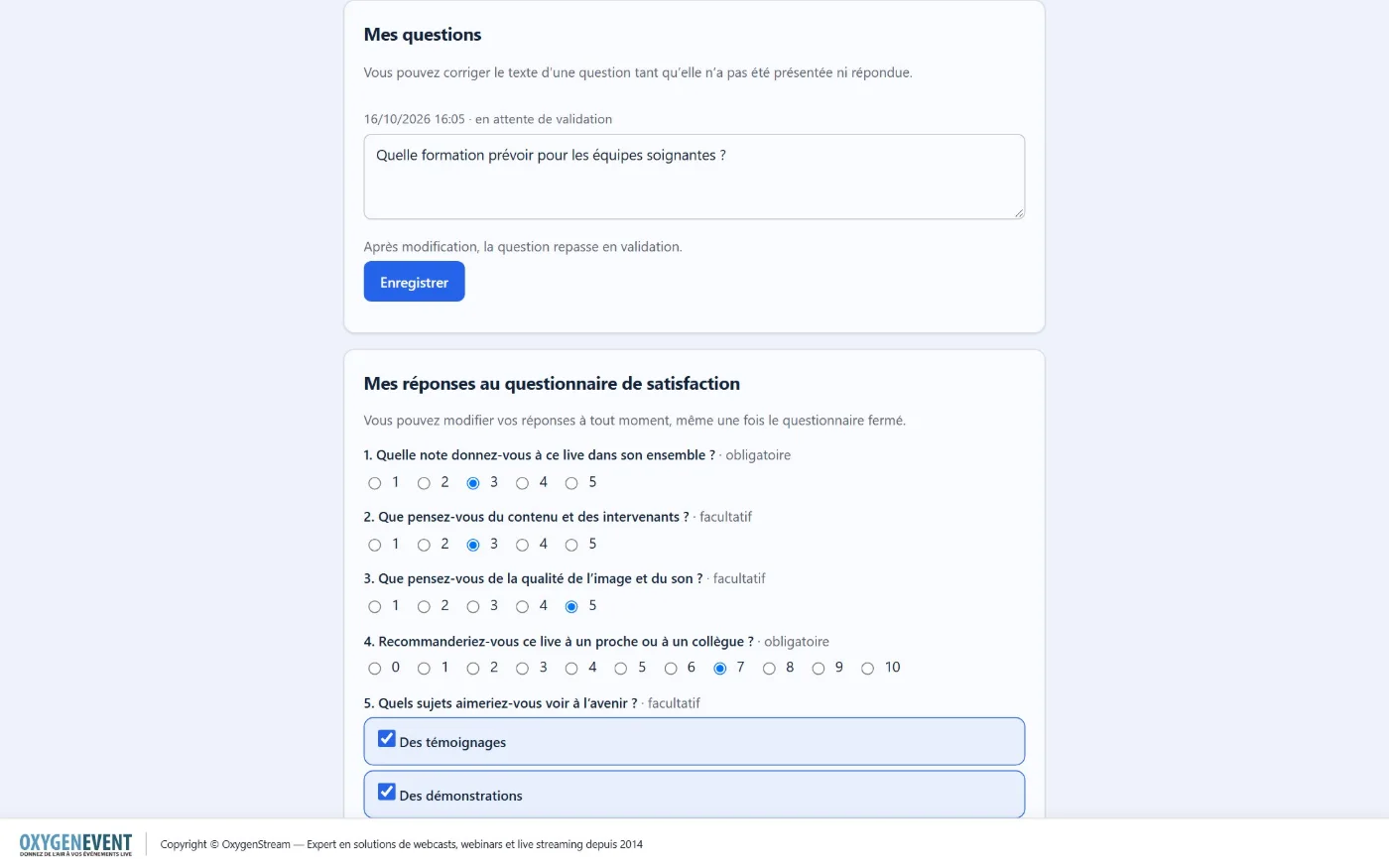
Personal data page: edit your questions and survey answers

Attendees correct or erase their information from the "Personal data" page.

À la carte

Modules that serve your event

Each event enables only what it needs. Data is kept if you disable and re-enable a module.

Attendee access

Simple form, registration, invitations or direct access: one mode at a time, each clearly described.

Questions & answers

Audience questions, moderation, answers, dedicated host page.

Polls

Flash questions over the video, live results, results page for production.

Documents

Resources to download on the live page, with tracked downloads.

Satisfaction

Custom survey, figures at a glance, export.

Statistics

Audience, viewing time, per-person detail, export.

GDPR

Consent, notice, individual rights, request register, purge.

Identity & look

Name, logo, date, colours, countdown, bilingual English and French.

Global Excel export

One file, one sheet per module, filterable by period.

Getting started

Your next event, ready in a few steps

We build your event

Modules, access mode, visual identity and date: we set up the platform with you.

We hand over the access

Administration area, host page and results page for production.

You run the live

Your team drives, your attendees take part, with OxygenStream's support if you wish.

You measure

Statistics, satisfaction and Excel exports to review the event.

Frequently asked questions

You may be wondering…

Do we need to install anything?

No. Attendees, organisers, hosts and production simply use a browser, on a computer, tablet or phone.

Can we use our usual video player?

Yes. The live page embeds your streaming platform's player as long as it offers a secure embed address. OxygenStream can also handle filming, production and broadcast of your event.

Can attendees ask questions without being identified?

It depends on the access mode you choose. With direct access they arrive without a form and can pick a nickname. In every case you decide whether questions can be anonymous to the public and whether they go through approval.

Is the platform GDPR-compliant?

It includes consent, a privacy notice, secure attendee access to their data (download, correction, erasure), a request register and purge of old data. Each client has a dedicated installation and database.

Is it available in French?

Yes, every page is available in English and French, administration included. Attendees switch language in one click.

What does it cost?

It depends on your event: enabled modules, number of attendees and the support you want. Contact us for a demonstration and a tailored quote.

Give your next event room to breathe

A demonstration lets you see OxygenEvent working on your own case: conference, webinar, general meeting or hybrid event.

Request a demo Contact us

live@oxygenstream.fr · +33 1 79 73 13 73